Choosing a Server With RAID for Peak Performance and Redundancy

Soraxus Assistant
January 7, 2026 • 26 min read
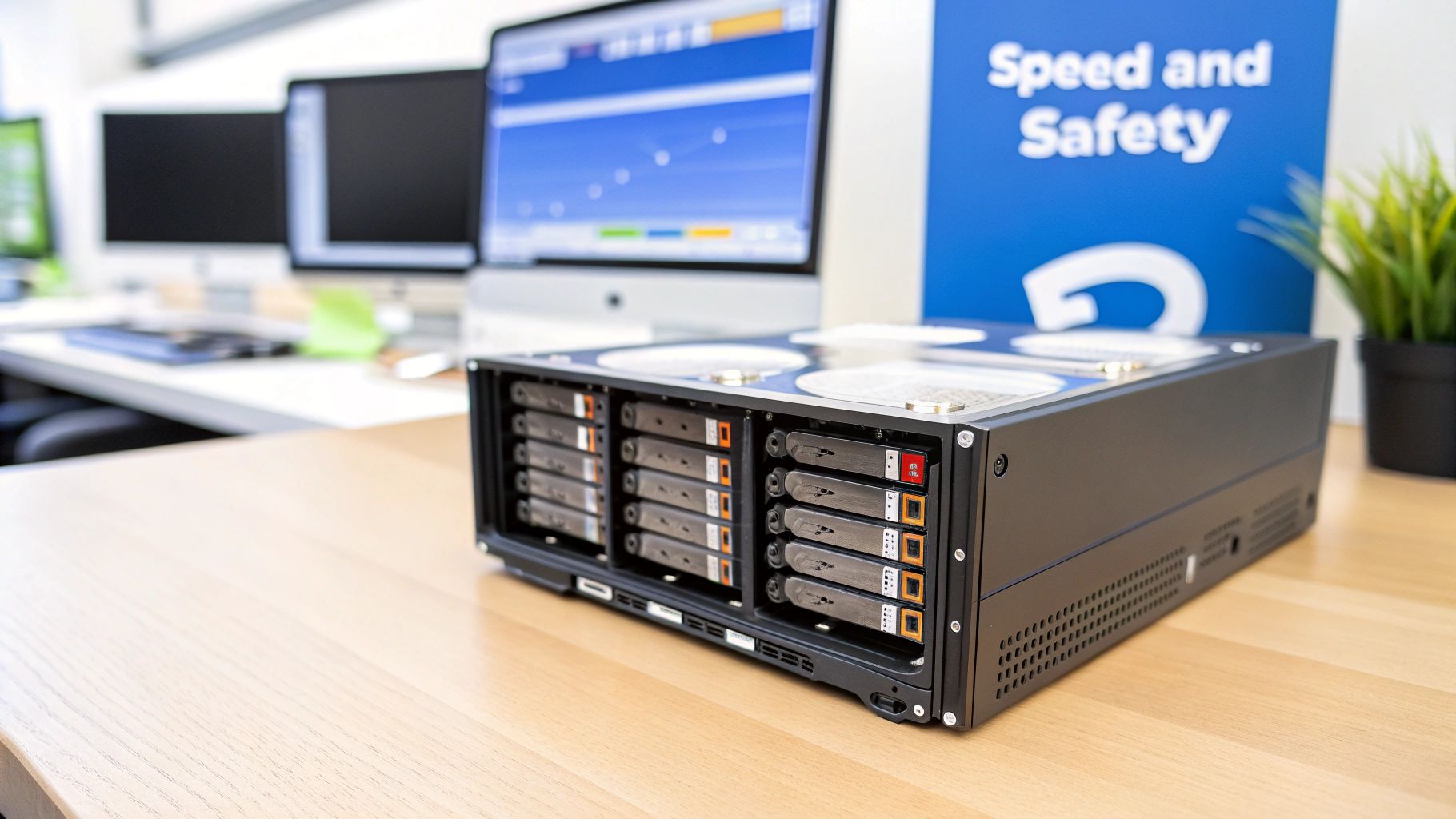
At its core, a server with RAID is a clever way to make multiple physical hard drives work together as a single, unified team. This setup isn't just a technical tweak; it's a fundamental strategy for both protecting your data and making it accessible much, much faster. It tackles two critical server needs at once: boosting performance by spreading the workload across several disks and ensuring data integrity by creating redundant copies to guard against drive failure.
Why Your Server Needs a RAID Strategy
Imagine trying to move an entire house's contents with just one person. It's possible, sure, but it would be painfully slow and incredibly risky. If that one person gets sick, the whole move grinds to a halt. A single drive in your server is that one person.
Now, think about what a server with RAID does. It’s like bringing in a whole crew of professional movers. Multiple people (drives) can carry boxes (data) simultaneously, which speeds everything up. And if one mover needs to take a break, the others can cover for them, ensuring the job gets done without a hitch.
This team-based approach is what makes RAID so powerful. It directly solves the two biggest headaches in server management: speed and reliability.
The Twin Pillars: Performance and Redundancy
Performance gets a massive kick because your server can read from and write to multiple drives at the same time. Instead of queuing up tasks for a single drive, the work gets distributed. This drastically reduces access times, which is a game-changer for busy databases, demanding applications, and high-traffic websites. For example, a video streaming service can serve multiple users simultaneously without buffering because it can pull different parts of the video files from multiple drives at once.
But speed is only half the story. RAID also provides a robust safety net through data redundancy. By either mirroring data or using a clever method called parity, the system can survive a drive failure without losing a single byte. When a disk dies, the remaining drives contain all the necessary information to rebuild the lost data onto a new, replacement drive. That’s how you maintain business continuity.
A server without RAID is a single point of failure just waiting to happen. The moment that one drive fails, your data is gone. Implementing RAID transforms your storage from a fragile component into a resilient, self-healing system.
To give you a quick overview, here's a simple breakdown of what RAID brings to the table.
RAID Benefits at a Glance
| Benefit | Primary Goal | How It Works | Ideal For |
|---|---|---|---|
| Performance | Increase read/write speeds | Spreads (stripes) data across multiple drives so they can be accessed in parallel. | Databases, video editing, high-traffic web servers, any I/O-intensive workload. |
| Redundancy | Protect against data loss | Duplicates (mirrors) data or uses parity to reconstruct data from a failed drive. | Mission-critical applications, file servers, any environment where data loss is unacceptable. |
| Capacity | Combine multiple disks | Pools the storage of multiple drives into a single, larger logical volume. | Large-scale storage, backup servers, and media archives. |
| High Availability | Minimize downtime | Allows the server to continue operating even after a drive fails, enabling hot-swapping. | 24/7 operations, e-commerce platforms, and essential business systems. |
Each RAID level offers a different mix of these benefits, which we'll explore in the next section. The key is finding the right balance for your specific needs.
A Foundational Business Decision
The demand for high-performance, resilient storage is exploding, which is why the global RAID controller card market is projected to grow so rapidly. The numbers speak for themselves: servers with RAID 5 or RAID 10 setups can deliver up to 3-5 times faster read/write speeds compared to a single-drive system, all while dramatically cutting the risk of downtime. For a deeper dive into the market, you can explore the full research on RAID controller growth.
Ultimately, choosing to use RAID isn't just a technical decision; it's a strategic business move. For any operation you can't afford to have go down—be it a dedicated server running a busy e-commerce site or a private cloud—RAID is non-negotiable. If you're still weighing your infrastructure choices, understanding your options is the first step. Our guide on dedicated server vs VPS solutions can provide more context.
A Practical Guide to Common RAID Levels
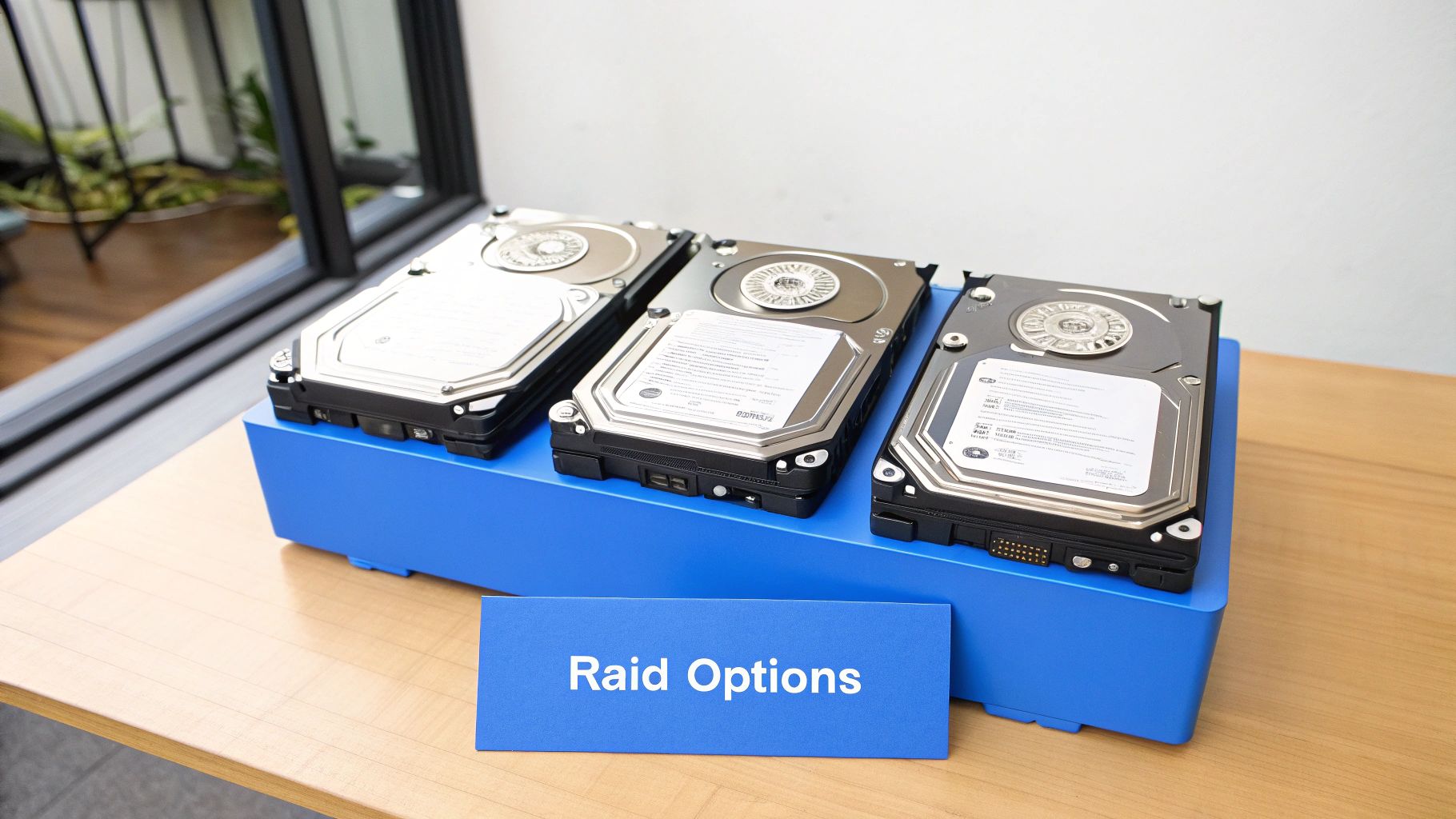
Picking the right RAID level for your dedicated server is a lot like choosing the right tires for a car. The best choice depends entirely on whether you need raw speed for the racetrack, rugged reliability for an off-road adventure, or a balanced option for daily driving. Getting this decision right from the start is the foundation of building a reliable and high-performing server with RAID.
Let's cut through the technical jargon and look at what these common RAID levels actually do for you.
RAID 0: The Sprinter
Think of RAID 0 as being built for one thing and one thing only: pure, unadulterated speed. It works by taking at least two drives and "striping" data across them, breaking files into small chunks and writing them to all drives at the same time.
This parallel process delivers a massive performance kick. With two drives, you can get nearly double the read and write speed of a single drive. But this speed comes with a huge risk—there is zero redundancy. If a single drive in a RAID 0 array fails, everything is gone. All data on all drives becomes instantly inaccessible.
- Best Use Case: High-speed, temporary storage. A practical example is a scratch disk for a video editor rendering a 4K film. The raw footage is stored safely elsewhere, but the RAID 0 array provides the immense speed needed for the rendering process.
- Not Recommended For: Anything you can't afford to lose. Never use it for operating systems or critical data.
RAID 1: The Mirror
If RAID 0 is a reckless sprinter, RAID 1 is its cautious, security-conscious twin. Its sole purpose is data protection through mirroring. In a RAID 1 setup, every single piece of data written to the primary drive is instantly duplicated onto a second drive.
You get a perfect, real-time clone. If one drive dies, the server doesn't even flinch; it just keeps running off the mirrored copy without any data loss or downtime. The trade-off is storage efficiency. You're paying for two drives but only getting the usable capacity of one. For instance, two 2TB drives in a RAID 1 array give you just 2TB of space.
- Best Use Case: Operating systems, application files, and small databases where uptime and data integrity are non-negotiable. For example, the boot drive of a web server is a perfect candidate for RAID 1.
RAID 1 provides a simple and incredibly effective way to protect against a single drive failure. It’s a foundational choice for ensuring the core files your server needs to run are always available.
RAID 5: The Balanced Performer
RAID 5 hits a sweet spot, offering a smart compromise between performance, capacity, and redundancy. It stripes data across multiple drives for speed (like RAID 0) but adds a clever safety net called parity. This parity data is a kind of mathematical checksum distributed across all the drives.
If one drive fails, the system can use the parity information on the remaining drives to rebuild the lost data. It's more space-efficient than RAID 1, as the parity data only consumes the space equivalent to one drive. A four-drive array, for example, gives you the capacity of three. Read performance is great, but writes can be a bit slower since the controller has to calculate parity for every operation.
- Best Use Case: General-purpose file servers, web servers, and application servers that need a good mix of storage space, redundancy, and read speed. A corporate file share where multiple employees access documents would be a great fit.
RAID 6: The Extra Safety Net
RAID 6 takes the concept of RAID 5 and dials up the protection. It works the same way—striping data with parity—but it calculates and distributes two separate sets of parity data across the drives.
This double-parity system means a RAID 6 array can survive the failure of two drives simultaneously without losing a single byte of data. This is a huge deal, especially as large-capacity drives take longer and longer to rebuild. The price for this extra security is slightly lower capacity (a four-drive array gives you the space of two) and slower write performance than RAID 5.
The impact of robust RAID on data center reliability is massive. For businesses running SaaS platforms, hardware RAID can be the difference between a minor hiccup and an outage affecting millions. In fact, studies show that a well-managed RAID 6 configuration can reduce the probability of data loss to just 1 in 10^14 operations. You can learn more about RAID's role in the internet industry to see how it underpins modern digital services.
RAID 10: The All-Star Hybrid
Often called RAID 1+0, this level gives you the best of both worlds. It combines the blazing speed of RAID 0 with the ironclad redundancy of RAID 1. How? It first creates mirrored pairs of drives (RAID 1) and then stripes data across all of those pairs (RAID 0).
The result is an array with phenomenal read and write performance and fantastic fault tolerance. A RAID 10 setup can survive at least one drive failure in each mirrored pair. The main drawback is cost; it requires a minimum of four drives, and you lose 50% of your total raw storage capacity to mirroring.
- Best Use Case: High-transaction databases, busy e-commerce sites, and any application that demands extreme I/O performance and strong data protection. The database server for a busy online store processing thousands of orders per hour is a prime example.
Comparison of Common RAID Levels
To make the choice clearer, here’s a quick-glance table comparing the RAID levels we've just covered. Think of this as your cheat sheet for matching the right configuration to your server's job.
| RAID Level | Minimum Drives | Key Benefit | Capacity Efficiency | Fault Tolerance | Best Use Case |
|---|---|---|---|---|---|
| RAID 0 | 2 | Maximum Performance | 100% | None | Caching, temporary files, video editing |
| RAID 1 | 2 | High Redundancy | 50% | 1 drive failure | Operating systems, critical applications |
| RAID 5 | 3 | Balanced Performance & Space | (N-1) / N | 1 drive failure | File servers, web servers, general storage |
| RAID 6 | 4 | Enhanced Redundancy | (N-2) / N | 2 drive failures | Large archives, data warehousing, backups |
| RAID 10 | 4 | High Performance & Redundancy | 50% | 1+ drive failures* | Databases, email servers, high I/O workloads |
*Can tolerate failure of one drive in each mirrored pair.
Ultimately, understanding these trade-offs is the first step in building a storage foundation that won't let you down. Each level has its place, and choosing the right one ensures your server is perfectly equipped for the tasks ahead.
Hardware vs. Software RAID: Which Engine Drives Your Data?
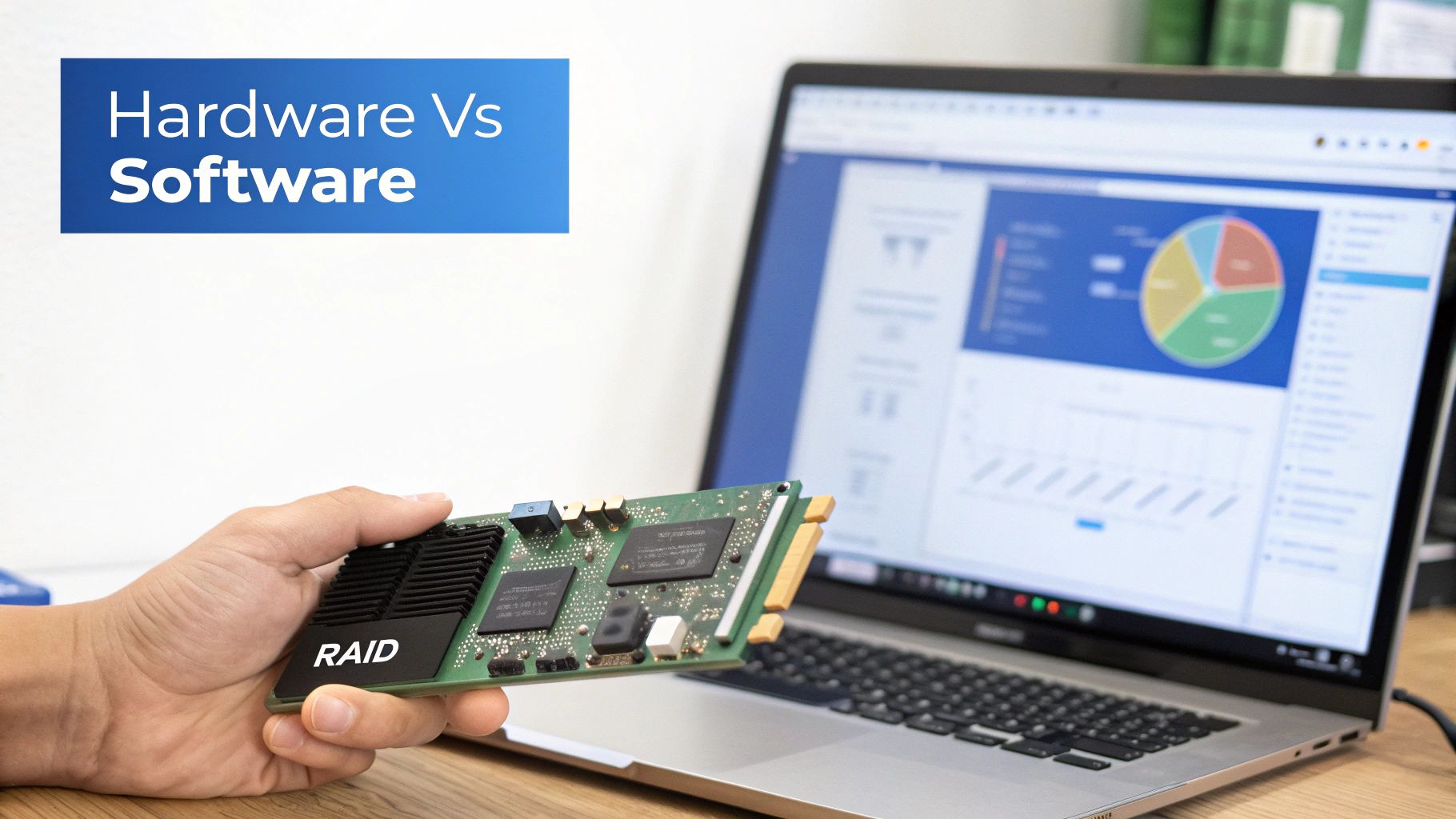
When you set up a server with RAID, you’re making a fundamental decision about who manages your storage. It's like choosing the engine for a high-performance car. Do you go with a specialized, purpose-built motor designed for one thing only, or a versatile engine that shares its power with the rest of the system?
Both hardware and software RAID get you to the same place—a resilient, high-performing disk array. But how they get there is completely different. Getting this choice right is all about matching your server's architecture to its actual workload.
The Dedicated Power of Hardware RAID
Hardware RAID revolves around a dedicated RAID controller card. Think of this card as a small, specialized computer that plugs right into your server’s motherboard. It has its own processor, its own memory (cache), and often its own battery backup unit (BBU) or capacitor. Its entire existence is dedicated to managing your RAID array.
This single-minded focus is its biggest advantage. All the heavy lifting—calculating parity for RAID 5, mirroring writes for RAID 10—is handled by the controller card. This completely frees up your server's main CPU to concentrate on what it's supposed to be doing: running your applications. Your storage performance stays rock-solid and predictable, even when the server is getting hammered.
Take a busy database server, for example. If it's processing thousands of transactions a second, it can't afford to have its CPU bogged down by storage management. A hardware RAID controller makes sure the CPU is working on database queries, not calculating parity bits. This clear separation of duties is a cornerstone of enterprise-grade server design.
A hardware RAID controller is like a dedicated manager for your storage team. It handles all the complex logistics, making sure the main business runs smoothly without interruption, no matter how busy the storage team gets.
Another killer feature on many hardware controllers is the on-board cache, often protected by that BBU. If the power suddenly cuts out, the battery keeps the cache alive just long enough to save any data that hasn't been written to disk yet. It's a critical safety net against data corruption that software RAID just can't provide.
The Flexible Cost-Effectiveness of Software RAID
Software RAID, on the other hand, uses the server's main CPU and system RAM to do all the work. It’s a feature built right into the operating system—think of the tools available in modern Windows Server or Linux distributions. This makes it an incredibly flexible and budget-friendly option. There’s no extra hardware to buy, which can bring down the upfront cost of a server.
This approach works perfectly for workloads where storage I/O isn't the main bottleneck. A development server, a staging environment, or a web server with light traffic can all run software RAID without anyone noticing a performance dip. The ability to use any drives connected to the motherboard without worrying about controller compatibility is another big plus.
But there's always a trade-off, and here it’s performance. Every RAID calculation chews up CPU cycles. When the server is idling, the impact is tiny. But during intense disk activity, like rebuilding a failed drive, the CPU usage can spike and slow your applications to a crawl.
Let's look at a practical example. Imagine a game server running on software RAID 5. During normal play, everything is smooth. But if a drive fails, a rebuild kicks off. Now, the CPU has to juggle both the game logic and the punishing task of reconstructing data. Players will almost certainly start to feel lag and see slower load times until that rebuild is finished.
For a lot of situations, especially with today's incredibly powerful CPUs, software RAID is a smart and perfectly viable choice. But when you absolutely need guaranteed performance and the highest level of reliability for mission-critical applications, a dedicated hardware solution is almost always the way to go.
How Modern Storage Changes the RAID Game
The whole conversation around server storage got turned on its head with the arrival of blazing-fast NVMe (Non-Volatile Memory Express) SSDs. These things are so quick they can completely saturate traditional storage architectures. This shift forces us to rethink how we build and manage a server with RAID, because old-school strategies can suddenly become the new performance bottleneck.
Picture an old hardware RAID controller as a seasoned traffic cop who's a master at directing cars and trucks. For years, that system worked perfectly. But NVMe drives aren't cars; they're a fleet of Formula 1 racers showing up all at once. The old methods of waving traffic through just can't keep up, and the controller itself becomes the gridlock, holding back the incredible potential of modern storage.
This choke point exists because legacy controllers were built for the glacial pace of spinning hard drives and even first-gen SATA SSDs. They simply don't have the horsepower or the direct PCIe pathways to handle the millions of input/output operations per second (IOPS) an NVMe array can throw at them.
Letting the CPU Unleash NVMe Speed
To get the full, unadulterated power out of Gen4 and Gen5 NVMe drives, the industry is moving toward software-defined storage and CPU-based RAID. Instead of forcing all storage commands through a separate, often slower, controller card, these modern setups let the server's main CPU manage the RAID array directly.
Today's server CPUs have so many cores and so much raw power that they can chew through RAID calculations with barely a blip in overall performance. The massive benefit here is giving the drives a far more direct, unimpeded path to the processor. We're cutting out the middleman, which lets your applications access data at speeds we could only dream of just a few years back.
For example, a server with RAID running a CPU-based solution can juggle huge, parallel I/O requests from a busy database without waiting for a dedicated controller to get around to each one. This makes it a perfect match for high-frequency trading, real-time analytics, and demanding virtual server farms where every microsecond of storage latency counts.
The New Reality of Rebuild Times
One of the most profound changes modern storage brings is to the dreaded RAID rebuild. Anyone who has managed servers with large-capacity hard drives knows the feeling of watching a RAID 5 or RAID 6 array rebuild after a disk failure—it could take hours, sometimes even days. That entire time, your array is running in a degraded state, which is a high-stakes gamble; a second drive failure during that window means catastrophic data loss.
NVMe SSDs completely change this equation.
Because NVMe drives read and write data at such phenomenal speeds, a rebuild that once took a full day on a hard drive array might now be finished in minutes. This dramatically shrinks that window of vulnerability, making your whole storage system fundamentally more resilient.
This speed is a massive operational advantage for any business that depends on its data. RAID-equipped servers have long been a key to efficiency, which is why the RAID controllers market is projected to see significant revenue growth. For industries like cloud computing and finance where uptime is non-negotiable, the fast rebuilds of NVMe aren't just an improvement—they're a game-changer. You can discover more insights about RAID market trends to see how this technology continues to evolve.
The Role of a Hot Spare
To add another layer of protection, many system administrators will configure a hot spare. This is simply a standby drive, installed and powered on in the server, just waiting to be tagged in.
Here’s how it plays out in a modern setup:
- A Drive Fails: The RAID controller detects that a drive in the array has gone offline.
- The Spare Jumps In: Instead of waiting for a technician to show up and physically swap the drive, the controller immediately activates the hot spare.
- The Rebuild Kicks Off: The array begins the rebuild process on its own, writing the reconstructed data onto the new hot spare.
With an NVMe-based array, this entire sequence—from failure to a fully rebuilt, healthy array—can happen incredibly fast, often with zero human intervention. This one-two punch of rapid rebuilds and automated failover with a hot spare creates a seriously robust and high-performance foundation for any critical server workload.
Matching Your RAID Configuration to Real-World Workloads
Knowing the theory behind RAID levels is one thing, but putting it into practice on a real-world server is where the rubber meets the road. The best RAID setup isn't a one-size-fits-all answer; it's a strategic choice that needs to align perfectly with what that server will be doing day in and day out.
When you match the workload to the right RAID level, you avoid overpaying for performance you don't need or, worse, sacrificing reliability where it's absolutely critical. Let's break down a few common server roles and figure out the smartest RAID strategy for each.
Database Servers: The Need for Speed and Safety
Database servers are the classic use case for RAID 10, especially those hammered with high-transaction workloads from e-commerce sites or SaaS platforms. These environments are incredibly sensitive to write latency. Every single transaction has to be committed to disk, and any delay can bring the entire application to a crawl.
This is exactly where RAID 10 shines. It delivers the best of both worlds:
- Blazing-Fast Writes: It stripes data across mirrored pairs, completely sidestepping the parity calculation overhead that bogs down RAID 5 and RAID 6. The result is just exceptional write performance.
- Strong Redundancy: The mirrored sets offer fantastic data protection. An array can easily survive a single drive failure and sometimes more, as long as two drives don't fail in the same mirrored pair.
For a database, that combination is a knockout. It ensures user transactions fly through and that your mission-critical data is buttoned up tight against hardware failure.
This decision tree gives a great visual of how to think about your RAID choice, especially when factoring in the sheer speed of modern drives.
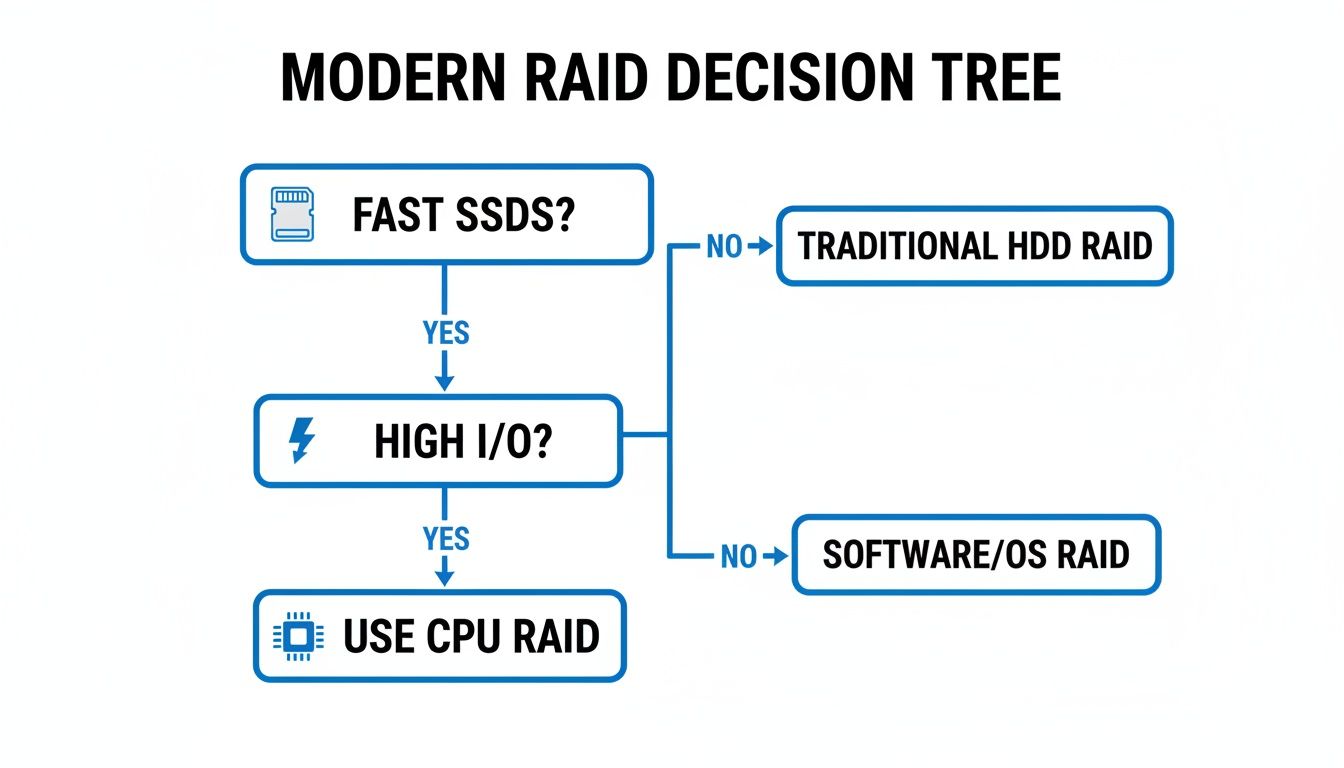
As the flowchart shows, when you're dealing with high-I/O workloads on fast SSDs, letting the server's CPU handle RAID often becomes the most direct path to wringing every last drop of performance out of your hardware.
Web and Application Servers: The Balanced Approach
Web and app servers usually have a more mixed I/O profile. They're constantly serving up content (reads) but also have to handle user sessions, write log files, and manage other application tasks (writes). For this kind of job, you need a balanced solution.
Here, RAID 5 and RAID 6 are excellent candidates. They both offer great read performance, which is perfect for dishing out website assets like images, scripts, and videos. While their write performance isn't on par with RAID 10 because of the parity calculations, it's typically more than enough for the write load of a standard web server.
The real advantage of RAID 5 and 6 here is storage efficiency. You get solid data protection while maximizing the usable capacity from your drives. This is ideal for storing massive amounts of web content without blowing the budget. If you're using very large capacity drives, RAID 6 is the safer bet since it protects you against a second drive failure during a long rebuild.
Backup and Archive Servers: Maximizing Capacity
When a server's main job is handling backups, storing large files, or archiving data, the number one priority is maximum usable capacity paired with reliable data protection. Performance takes a backseat here; these systems don't face the intense, real-time I/O demands of a production database.
This is the perfect scenario for RAID 6. It gives you dual-parity redundancy, which means it can withstand two simultaneous drive failures—a crucial feature when you're managing huge arrays of big drives where rebuilds can take a long, long time.
Best of all, RAID 6 offers fantastic storage efficiency, second only to RAID 5. You get the usable capacity of all your drives minus two, making it an incredibly cost-effective way to build a massive, fault-tolerant storage pool. If you’re putting together a system to hold terabytes of vital backup data, a server with RAID 6 is an industry-standard choice. For anyone managing these systems, a good grasp of the OS is just as important; for more on that, take a look at our guide on choosing a Linux dedicated server.
How to Properly Manage Your RAID Server
Getting your RAID array configured is a great start, but it's just that—the start. The real job is keeping that array healthy and your data safe over the long haul. Good management is what turns a server with RAID from a simple hardware choice into a reliable foundation for your business. It's definitely not a "set it and forget it" kind of deal; you need to stay on top of it.
Think of it like being the captain of a ship. You don't just point it in the right direction and go to sleep. You constantly check the instruments, watch the weather, and make sure the crew is ready for anything. Managing a RAID array requires that same level of active attention to keep things running smoothly.
Reinforce the Golden Rule: RAID Is Not a Backup
Before we go any further, let's get one thing straight, because it's the most important rule in this entire field: RAID is not a backup. This is a massive and dangerous misunderstanding. RAID is designed to protect you from a very specific problem—a hard drive dying. That's it. It offers zero protection against a whole host of other common disasters.
RAID will not save you from:
- Accidental Deletion: If a user deletes a critical folder from your RAID 10 array, it’s gone from every drive, instantly.
- Data Corruption: If a database file gets corrupted, RAID will diligently write that corrupted data across all the other disks.
- Malware or Ransomware: When ransomware hits, it will encrypt the files on your array, and RAID will do its job and replicate that encrypted garbage perfectly.
- Catastrophic Events: A fire, flood, or server theft will destroy the entire array, no matter how many redundant drives you had.
A true data safety plan always involves a separate, isolated backup system. The beauty of RAID is that it prevents you from having to hit the panic button and restore from a backup just because one drive failed. But those backups absolutely must exist as your final line of defense.
Proactive Monitoring and Health Checks
The best way to deal with a drive failure is to know it’s coming. Modern RAID controllers and server operating systems give you the tools to keep an eye on your disks. You need to be paying close attention to the S.M.A.R.T. (Self-Monitoring, Analysis, and Reporting Technology) data from each drive, as it can give you a heads-up that a disk is starting to go bad.
Running regular consistency checks is also non-negotiable. This process, often called "scrubbing," involves reading every block of data on your array and verifying it against the parity data. This is a crucial maintenance task that catches and often fixes "bit rot"—the silent, slow corruption of data that can otherwise go undetected for months until you try to open a critical file. Setting up a monthly scrub is a simple practice that can save you a world of hurt.
Have a Clear Plan for Failure and Testing
Don't wait for a drive to die to figure out what you're going to do. You need a written, step-by-step plan for when a disk fails. This plan should cover who to call, where the spare drives are (or how to get one, fast), and what the exact steps are to initiate a rebuild.
It’s also smart to test your alerts every now and then. Are you sure your monitoring system will actually send that email or text message at 3 AM on a Sunday? You need to know for a fact that the alert will get to the right person. A well-managed server with RAID is one where a drive failure is a routine maintenance event, not a full-blown emergency.
Common Questions About RAID in Servers
Let's tackle some of the practical questions that come up all the time when you're setting up or managing a server with RAID.
Can I Mix Different Drive Sizes or Speeds in an Array?
Technically, some controllers will let you do this, but it’s a bad idea. Think of a RAID array as a team where everyone has to move at the pace of the slowest person. The array will always default to the weakest link.
This means your total storage space will be limited by the smallest drive, and your performance will be capped by the slowest drive. You'll just end up with wasted space and unpredictable speeds. For rock-solid stability, always use identical drives—same model, same size, and even the same firmware version.
Is RAID a Backup?
No, and this is probably the most dangerous misconception out there. RAID is about uptime and keeping your server running if a single drive dies. It’s a high-availability tool, not a data recovery plan.
RAID offers zero protection against the most common ways data is actually lost:
- Someone accidentally deleting a critical file.
- A database getting corrupted.
- A ransomware attack that encrypts everything.
- A physical disaster like a fire or flood.
A solid backup strategy, like the 3-2-1 rule (three copies of your data, on two different media types, with one copy stored off-site), is absolutely essential. RAID keeps the lights on; backups let you recover when things truly go wrong.
What Happens to Performance During a RAID Rebuild?
When a drive fails and you pop a new one in, the array has to rebuild. This is an incredibly intense process where the RAID controller reads from all the good drives to reconstruct the data that belongs on the new one.
Expect a noticeable hit to your storage performance while this is happening. The I/O load is massive. How bad is it? That depends on your RAID level, how hard the server is working, and the controller itself. This is where a dedicated hardware RAID card really earns its keep, as it can manage the rebuild much faster with less strain on the server's main CPU.
Ready to build a reliable, high-performance foundation for your applications? At Soraxus, we offer enterprise-grade dedicated servers with customizable RAID configurations, paired with Gen4/5 NVMe storage and full out-of-band management. Secure your infrastructure and scale with confidence by exploring our dedicated server solutions.