A Guide to Dallas Colocation Pricing

Soraxus Assistant
January 15, 2026 • 24 min read
Trying to pin down Dallas colocation pricing can feel like hitting a moving target, but it really comes down to three things: the physical space your gear takes up, the power it drinks, and the network connection it needs to talk to the world. For a full cabinet in Dallas, you're generally looking at $400 to $800 a month just for the space. Once you add in power and bandwidth, that number starts to climb, but the beauty is you only pay for what you actually use.
Demystifying Dallas Colocation Pricing
Think of a colocation contract like a high-tech real estate lease. You're not renting office space; you're leasing a small, heavily secured, and incredibly well-connected slice of a data center for your mission-critical hardware. Instead of paying for square footage and a generic utility bill, your invoice is based on rack units, kilowatts, and megabits per second.
Getting a handle on this model is the key to calculating your true Total Cost of Ownership (TCO). TCO isn't just about the monthly bill—it's the complete financial picture of your infrastructure choice. A solid TCO analysis lets you compare apples to apples between providers and make a much smarter investment for your business. For example, a lower monthly rate from one provider might be offset by higher travel costs if their support isn't as robust, making the slightly more expensive option a better value in the long run.

The Three Pillars of Colocation Costs
Every monthly colocation bill is built on three core components. Each one serves a different purpose and is billed in its own way, which gives you a surprising amount of control over your final cost.
- Space: This is the physical footprint for your servers, firewalls, and switches. It's measured in rack units (U) or by the cabinet (quarter, half, or full).
- Power: This covers the electricity your equipment needs to run. It's often the biggest piece of the pie and is especially important for dense, high-performance gear.
- Bandwidth: This is your on-ramp to the internet. It's what ensures your customers and employees can actually reach your applications and services.
This transparent, component-based pricing is what makes Dallas an attractive colocation market. You can optimize your setup based on your specific needs. The "space" cost gets you a spot in a facility with redundant A+B power and round-the-clock security. "Power" is usually billed per kilowatt (kW) and can easily make up 30-60% of your total bill. Finally, "bandwidth" is priced by the megabit or gigabit (Mbps/Gbps), with costs shifting depending on your commitment and whether you need a blend of different network carriers. You can find more detail on Dallas colocation components on soraxus.com.
By breaking down the costs, you can avoid paying for resources you don't need. For instance, a business with power-hungry servers but modest bandwidth needs can prioritize a plan with higher power allocation and a smaller data transfer limit, directly optimizing their monthly spending.
An At-a-Glance Breakdown
So, how do all these moving parts fit together on a quote? This table breaks it down, summarizing what each component covers and the common ways providers bill for it. Think of this as your cheat sheet for understanding any colocation proposal you get.
Core Components of Dallas Colocation Pricing
| Component | What It Covers | Common Billing Models | Key Influencers |
|---|---|---|---|
| Space | Physical rack units (U) or cabinet size (e.g., 42U). Includes secure access, cooling, and fire suppression. | Per U, Per Quarter/Half/Full Cabinet (Fixed monthly fee). | Amount of hardware, future growth plans, cabinet security options. |
| Power | Electricity for your hardware, delivered via redundant A+B circuits (e.g., 20A, 30A). | Metered (per kWh used), Per Circuit/Breaker (Fixed monthly fee). | Server density, hardware efficiency, workload intensity (CPU/GPU usage). |
| Bandwidth | Internet connectivity speed and data transfer volume, often with options for blended carriers. | Metered (per GB transferred), Committed Rate (e.g., 100 Mbps on a 1 Gbps port). | User traffic patterns, application type (e.g., streaming vs. web hosting). |
Ultimately, understanding these three core pillars—Space, Power, and Bandwidth—is the first and most important step toward accurately forecasting your costs and finding a Dallas colocation partner that fits your budget and technical requirements.
Why Dallas is a Strategic Colocation Hub
When you're shopping for colocation, the final price isn't just about what a provider charges. The city itself plays a huge role. Things like local power costs, the quality of network infrastructure, and even real estate prices can either drive your bill up or, in a place like Dallas, bring it way down. It's no accident that Dallas consistently ranks as a top-tier market—the fundamental economics here work in your favor.
At its heart, Dallas gives you a killer combo of geographic positioning and cost efficiency. If your business serves customers across the country, whether you're running an e-commerce store or a SaaS platform, latency is everything. Dallas sits right in the middle of the U.S., giving you a strategic edge to deliver a fast, reliable experience to users on both coasts.
This central location means your data has less distance to travel, which is a game-changer for anything sensitive to lag, like online gaming, real-time financial trading, or snappy web apps.
The Power Cost Advantage
One of the biggest reasons for Dallas's affordability is the cost of electricity. For most setups, power is the single largest chunk of the monthly colocation bill, especially if you're running demanding workloads like AI training, high-performance computing (HPC), or large-scale databases. Even a small difference in electricity rates adds up to massive savings over the long haul.
Dallas is one of the most budget-friendly colocation hubs in the country, and that’s almost entirely because of its incredibly low power costs. Business electricity in Dallas averages just 9.72 cents per kWh. That's a staggering 23% below the national U.S. average, making it far more economical than other major hubs like Northern Virginia or Silicon Valley. You can find more details about Dallas electricity rates on brightlio.com.
This cost advantage comes from Texas's independent power grid, ERCOT, which creates a fiercely competitive energy market. For your business, that translates directly into lower monthly bills, freeing up cash you can put toward growing your business instead of just keeping the servers running.
Here’s what that looks like in the real world: An AI startup deploying a dozen power-hungry GPU servers could save thousands of dollars a year on electricity alone by choosing Dallas. That's money they can reinvest into scaling their infrastructure or funding more R&D.
A Robust and Competitive Market
Beyond cheap power, the Dallas-Fort Worth area is one of the biggest and fastest-growing data center markets in North America. This huge inventory of data center space creates intense competition among providers, which is fantastic news for you as a customer. In a market this competitive, providers can't win on price alone; they have to offer real value. You can dive deeper into this in our complete guide to Dallas colocation.
This pressure to stand out means providers often bundle valuable services into their standard packages that would be expensive add-ons elsewhere.
- Advanced DDoS Mitigation: Instead of a pricey extra, you'll often find robust, always-on protection against network attacks included, shielding your business from crippling downtime. For example, an e-commerce site can continue operating during a large-scale attack that would otherwise knock it offline.
- Superior Service Level Agreements (SLAs): To differentiate themselves, providers in Dallas frequently offer aggressive uptime guarantees, like 99.99% or even higher, giving you more financial and operational peace of mind.
- Generous Remote Hands Services: Many providers include a monthly credit for remote hands support, saving you the time and expense of sending your own team to the data center for simple tasks like swapping a drive or rebooting a server.
When you add it all up, Dallas becomes a uniquely strategic choice. The city's central location, affordable power, and hyper-competitive market work together to lower your total cost of ownership while boosting the performance and reliability of your critical hardware.
Breaking Down Your Colocation Bill with Real Examples
Theory is great, but nothing makes Dallas colocation pricing click like seeing the numbers on an actual invoice. To pull back the curtain, let's walk through three common business scenarios. I'll break down a sample monthly bill for each, showing exactly how your needs for space, power, and bandwidth add up to your final cost.
Think of these examples as a practical starting point. They'll help you translate abstract requirements into a realistic budget. Whether you're a lean startup or a growing enterprise, the core cost drivers are the same—only the scale changes.
First, it helps to understand why Dallas is such a competitive market. The city has a unique combination of advantages that directly benefits anyone looking for colocation.
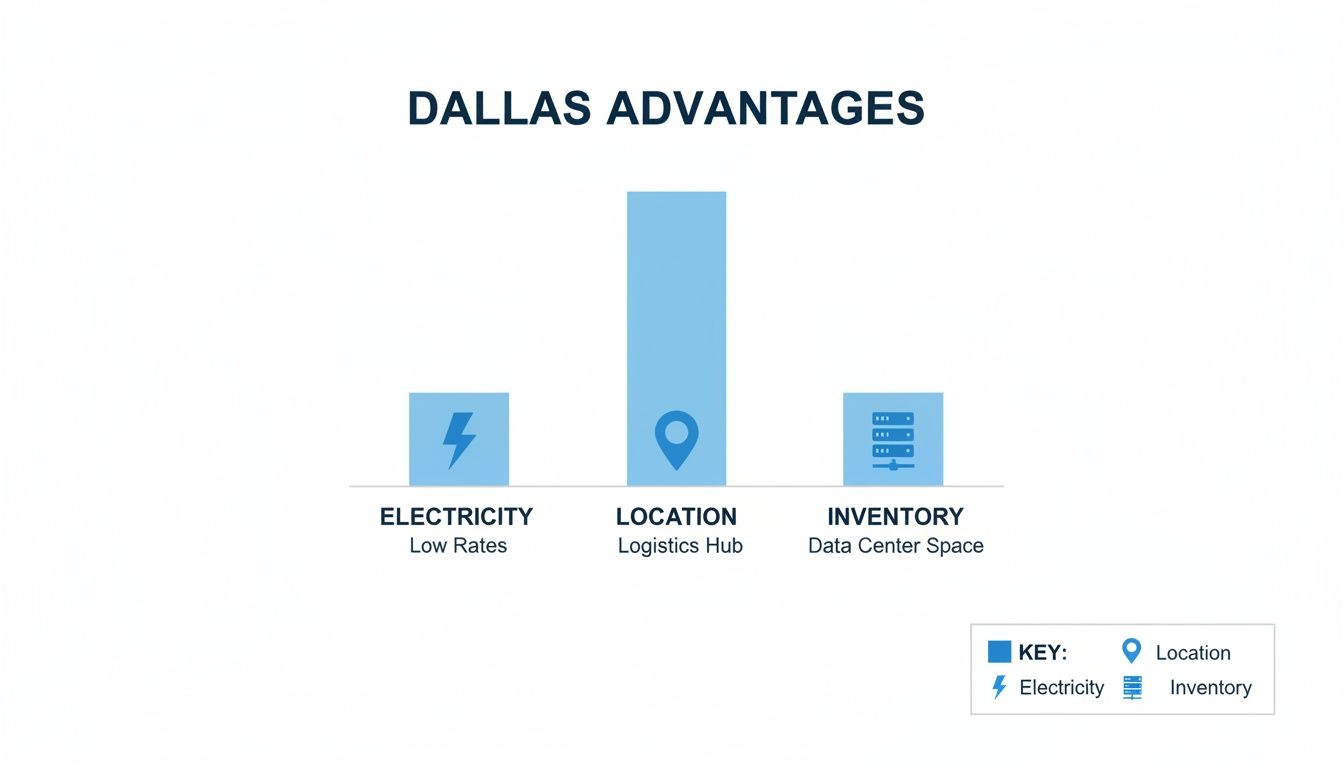
As you can see, the low cost of power, its central location, and the sheer volume of available data center space create an environment that keeps prices in check and value high. Now, let's see how that plays out in real-world pricing.
To make it easier to see how costs scale, here’s a quick comparison of the three scenarios we're about to explore.
Sample Monthly Colocation Pricing Scenarios in Dallas
This table gives a side-by-side look at how estimated monthly costs change based on different deployment needs, from a small startup to a high-density enterprise setup.
| Cost Item | Scenario 1 Startup Quarter Rack | Scenario 2 SaaS Co Full Rack | Scenario 3 Enterprise High-Density |
|---|---|---|---|
| Space | $250 (Quarter Rack, 10U) | $600 (Full Rack, 42U) | $1,200 (2x Full Racks) |
| Power | $150 (1x 20A/120V) | $700 (2x 30A/208V, A+B) | $1,400 (4x 30A/208V, A+B) |
| Bandwidth | $75 (1 Gbps Port, 50 Mbps Commit) | $250 (1 Gbps Port, 200 Mbps Commit) | $900 (10 Gbps Port, 1 Gbps Commit) |
| Value-Adds | $0 (DDoS Mitigation & Remote Hands) | $0 (DDoS Mitigation & Remote Hands) | $0 (DDoS Mitigation & Remote Hands) |
| Estimated Monthly Total | $475 | $1,550 | $3,500 |
As you can see, the jump in cost is driven almost entirely by power and bandwidth consumption as the infrastructure requirements grow. Let's dig into the details for each.
Scenario 1: A Startup's Quarter Rack
Picture a small startup launching its first web application. They're laser-focused on their product and need a secure, reliable home for their gear, but every dollar counts. Their setup is simple: a couple of web servers, a database server, and a firewall—all of which fit comfortably in a quarter rack (about 10U of space).
Their power needs are light, so a single 20A/120V circuit is more than enough. For internet, they choose a 1 Gbps port but only commit to paying for 50 Mbps of usage. This gives them room to burst when traffic spikes without overpaying for bandwidth they don't consistently use.
This kind of smart, right-sized approach gives a startup access to enterprise-grade infrastructure without the enterprise-level price tag. It's predictable, budget-friendly, and perfect for a company that needs to focus on growth.
Scenario 2: A SaaS Company's Full Rack
Now, let's imagine a growing SaaS company that's gaining real traction. More users mean more load, so they need to scale up. It's time for a full 42U cabinet to accommodate their expanding server fleet. At this stage, uptime is no longer a "nice-to-have"—it's mission-critical. That means investing in A+B redundant power.
They'll need two separate 30A/208V circuits, one from the "A" power feed and another from the "B" feed. If one feed goes down for any reason, the other keeps everything online. Their bandwidth demands have also shot up, so they upgrade to a 1 Gbps port with a 200 Mbps commit to keep the user experience fast and responsive.
For a SaaS business, downtime isn't just an inconvenience—it's lost revenue and damaged reputation. Investing in A+B redundant power is a non-negotiable insurance policy against power-related outages, ensuring the platform remains online even if one entire power distribution unit fails.
This setup is the sweet spot for many growing tech companies, balancing robust performance and high availability with a manageable monthly cost.
Scenario 3: An Enterprise High-Density Deployment
Finally, consider an established enterprise running a critical, high-density workload like a large database cluster or a private cloud. They're deploying power-hungry blade servers and high-performance storage, which requires multiple full cabinets.
This kind of hardware generates a lot of heat and draws a ton of power. Each of their two cabinets is equipped with its own A+B redundant 30A/208V circuits. To handle massive data transfers and user traffic, they need a dedicated 10 Gbps network port with a hefty 1 Gbps commit.
This premium setup reflects a business where performance, security, and uptime are paramount. The higher cost is a direct result of the resources required to support their mission-critical operations. These examples show just how flexible colocation can be—you only pay for what you need, allowing your infrastructure costs to scale right alongside your business.
Uncovering Hidden Costs and Essential Value
The quote you get for colocation is just the starting point. Space, power, and bandwidth are the big-ticket items, sure, but focusing only on those numbers is a classic rookie mistake. True Dallas colocation pricing is about the total value you get, not just the sum of the parts on an invoice.
Chasing the absolute lowest price often leads you straight into a minefield of hidden costs that can blow up your budget down the road.
Imagine one of your critical servers goes down at 3 AM. A cut-rate provider might take hours just to respond, and with every minute that ticks by, you're losing revenue and customer trust. Those are the real costs—the downtime, the painfully slow response, and the expensive distraction of pulling your own team off their projects to deal with a crisis that shouldn't be theirs to handle.
The Real Cost of Inadequate Support
Bad support isn't just frustrating; it's a direct hit to your bottom line. When a data center’s support team is slow, unskilled, or just plain unhelpful, that operational burden lands right back in your lap. These costs won't show up on a monthly bill, but you'll feel them in your budget.
Think about it in practical terms:
- Travel and Labor Expenses: A drive fails. If the provider's "remote hands" can only push a power button, you're forced to send one of your engineers to the data center. Now you're paying for their travel, their time on the road, and their salary for a task an expert on-site team should have handled in minutes.
- Productivity Loss: Every hour your team spends trying to get a straight answer on a support ticket or troubleshooting a simple network issue is an hour they aren't improving your product or helping your customers.
- Downtime-Related Revenue Loss: For any online business, from e-commerce to SaaS, even a few minutes of downtime can mean thousands in lost sales and serious damage to your reputation.
A provider’s support model tells you everything you need to know about their value. When a partner offers intelligent remote hands, they aren't just saving you a trip to the data center. They're acting as a skilled extension of your own team, letting you focus on what you do best.
The Force-Multipliers of Value-Added Services
On the flip side, a great colocation partner bundles in services that act as operational force-multipliers. These aren't just nice-to-have features; they are built-in solutions that save you real money, slash your risk, and give you a competitive edge. They are a massive part of the overall cost of colocation.
Here are the kinds of value-adds that turn a simple service into a strategic partnership:
- Always-On DDoS Mitigation: A massive DDoS attack can take you offline in an instant. A provider that includes robust, always-on Layer 3-7 mitigation isn't just selling you an add-on; they're giving you an insurance policy against a catastrophic outage. This kind of built-in protection can save you tens of thousands of dollars compared to buying a separate security service.
- Intelligent Remote Hands: This is so much more than just power cycles. A truly intelligent remote hands service means they can swap out a bad stick of RAM, patch cables, or even run diagnostics for you. This service all but eliminates the need for your team to ever set foot in the data center, turning a potential multi-day headache into a quick fix.
- Carrier-Neutral Connectivity: A carrier-neutral facility gives you the power of choice. You can connect with dozens of network providers to find the perfect blend of price, performance, and redundancy. This prevents you from getting locked into a single expensive carrier and guarantees you can adapt as your needs change.
Your Uptime Guarantee Is Financial Security
Finally, don't just glance at the Service Level Agreement (SLA). It's more than just a legal doc; it's a financial promise from your provider. A strong SLA, especially one that guarantees 99.99% uptime or better, gives you a clear path for recourse if they don't hold up their end of the bargain.
That guarantee is your financial security. It means that if an outage happens, you're compensated with service credits, softening the financial blow. The SLA is a critical piece of the value puzzle, ensuring your investment is backed by a tangible commitment to keeping your business online.
How to Accurately Estimate Your Colocation Needs
Getting a solid quote for Dallas colocation pricing doesn't start with a sales call. It starts with you. The biggest mistake I see people make is going in blind, which almost always leads to paying for things they don't need or, worse, getting hit with surprise overage fees.
Think of it like getting a quote from a general contractor. You wouldn't just ask them to "build a house" without giving them a blueprint. Your hardware inventory, power draw, and bandwidth patterns are your blueprint. The more detailed it is, the more accurate and fair your pricing will be.
Step 1: Tally Up Your Hardware for Rack Space
First things first, let's figure out how much physical space you need. In the data center world, we measure this in rack units (RU), where one RU is equal to 1.75 inches of vertical cabinet space.
It’s time for a quick audit. Grab a spreadsheet and list out every piece of gear you plan to move, noting its height in RU.
- 1U Servers: These are the workhorses and the most common size you'll see.
- 2U Servers: Typically used for servers packed with storage drives or those needing extra expansion cards.
- Networking Gear: Your switches, routers, and firewalls are usually 1U or 2U.
- Other Equipment: Don't forget things like UPS units, patch panels, or any other gear that needs a spot in the rack.
Add it all up. Since a standard full cabinet is 42U high, this simple math quickly tells you if you need a quarter cabinet, a half, or the whole thing.
Step 2: Calculate Your Real-World Power Draw
This is where you need to be honest with yourself. Underestimating your power needs is one of the most disruptive and expensive mistakes you can make. The best place to start is the nameplate on each device's power supply unit (PSU), which lists its maximum power draw in watts.
For instance, a server with redundant 750W PSUs has a theoretical maximum draw of 1,500 watts. Do this for every piece of equipment and add up the totals. This number is what a provider needs to know to spec the right circuits (20A or 30A) and determine if you need an A+B redundant power setup to keep you online during an outage.
Here’s a pro tip: always build in a buffer. I recommend provisioning for at least 25-30% more power than you think you need right now. This gives you breathing room for future hardware upgrades and handles unexpected traffic spikes without forcing a complicated and costly power upgrade down the line.
Step 3: Figure Out Your Bandwidth Footprint
Finally, let's talk about bandwidth. This isn't just about picking a number; it's about understanding how your applications use the network.
Fire up your monitoring tools and look at your traffic patterns over the last 30 to 90 days. You're looking for two key things: your average daily usage and your absolute peak usage. Armed with this data, a good provider can help you choose the right billing model.
If your traffic is consistent day-to-day, a fixed commit plan is probably your most cost-effective bet. But if you have big, unpredictable spikes, a burstable plan will save you a ton of money. Sharing these metrics lets a provider recommend a smart solution, like a 1 Gbps port with a 100 Mbps commit, giving you speed when you need it without paying for it 24/7.
Having this homework done is more important now than ever. The Dallas-Fort Worth data center market is absolutely booming. A recent market report noted that hundreds of megawatts of new colocation space are currently under construction, and a staggering percentage of it is already pre-leased. When you approach a provider with a clear, detailed plan, you put yourself at the front of the line to secure the resources you need before they're all snapped up.
Negotiating Your Colocation Contract for Long-Term Value
Getting the best Dallas colocation pricing isn't just about asking for a discount. The smartest approach is to negotiate a contract that builds in long-term value, creating a partnership that truly works for your tech and your budget for years to come. It’s less of a haggle and more of a collaborative effort to architect the right solution.
One of the most direct ways to lower your monthly bill is by looking at longer contract terms. Providers are almost always willing to drop the monthly recurring cost in exchange for a commitment of 36 or 60 months. It gives them predictable revenue, and you lock in a stable, budget-friendly rate that’s protected from market fluctuations.
Beyond the Monthly Rate
A lower monthly fee is great, but the real value is often hidden in the details. Focus your negotiation on the service components that can either lead to surprise costs or unlock hidden savings. These areas usually have more wiggle room than the base price for the rack space itself.
A perfect example is clarifying how they handle burst bandwidth. Most reputable providers use a 95th percentile billing model, which is a fantastic way to manage occasional traffic spikes without getting penalized. Your job is to get clarity on the overage rates if you consistently go over your committed data rate. A small negotiation on that overage price can save you from a massive bill after an unexpectedly busy month.
The goal of a good negotiation is a win-win. You walk away with a predictable, cost-effective solution that can grow with you, and the provider gets a stable, long-term client. When you approach the conversation as a partnership, you'll get a lot further than if you treat it like a battle.
Bundling Services for Maximum Savings
Another powerful move is to ask about bundling services. Providers can often offer some serious savings when you roll multiple services into a single agreement. This is a fantastic way to lower your total cost of ownership while getting your hands on features that might otherwise be out of reach.
Look for opportunities to bundle these key add-ons:
- Included DDoS Mitigation: See if they can roll in advanced, always-on DDoS protection with your contract. This is almost always cheaper than buying a standalone security solution.
- Cross-Connects: If you know you need to connect to a specific carrier in the facility, ask if the first one or two cross-connects can be included free of charge.
- Remote Hands Credits: Try to negotiate for a set number of "remote hands" hours each month. This small perk can easily save you hundreds of dollars on simple tasks like swapping a hard drive or power-cycling a server.
Frequently Asked Questions About Dallas Colocation Pricing
When you start digging into the details of Dallas colocation, a lot of practical questions pop up. To help you get a clearer picture and make a better decision, we’ve put together straight-to-the-point answers for the questions we hear most often.
What's a Realistic Price for a Full Rack in Dallas?
You'll see a lot of variation between facilities, but for just the physical 42U cabinet itself, you should expect to pay between $400 and $800 a month in Dallas. That gets you the locked cabinet, the guaranteed cooling, and the physical security of the building.
But that's just the starting point. The real cost comes when you add power and bandwidth. Once you factor in a standard power drop—say, a pair of 20A or 30A circuits—and a decent internet connection, the all-in monthly price for a full rack usually lands somewhere between $900 and $1,500+. Where you fall in that range depends heavily on the provider and what’s included, like DDoS protection.
How Does A+B Power Redundancy Change the Price?
Adding A+B power redundancy will absolutely increase your monthly bill, and that’s by design. It's a fundamental part of building a resilient setup. You're essentially getting two completely independent power feeds (the 'A' and 'B' sides) running to your cabinet, which means you're paying for two separate circuits.
While this doubles your base power cost, it's what gives you true fault tolerance. If the 'A' feed goes down for any reason, the 'B' feed keeps your gear running without a hiccup. For any business that can't afford downtime, this isn't just an extra cost; it's a non-negotiable investment in reliability.
Think of A+B power as the industry's gold standard for availability. It eliminates a massive single point of failure in the power chain, which is the bedrock of any solid SLA and crucial for keeping your services online for your customers.
Should I Expect to Pay Setup Fees?
Sometimes, yes. Setup fees, which you'll often see listed as non-recurring charges (NRC), can be part of the deal, but it really depends on the provider. These are one-time costs that might cover a technician physically racking your servers or running the cross-connect cables from your rack to a network provider's cage.
That said, many providers will waive these fees, especially if you're signing a longer-term contract (think 36 months or more). It’s a common incentive they use to win your business. This is definitely something to ask about upfront and can be a great point for negotiation. Make sure you get a clear breakdown of all recurring and non-recurring costs so there are no surprises on your first bill.
Ready to deploy your infrastructure in one of the nation's most strategic and cost-effective data center hubs? Soraxus offers carrier-neutral Dallas colocation with enterprise-grade security, A+B power, intelligent remote hands, and always-on DDoS mitigation. Secure your space and scale with confidence by visiting us at https://soraxus.com.