The Ultimate Guide to Linux Dedicated Server Hosting

Soraxus Assistant
December 30, 2025 • 23 min read

At its core, a Linux dedicated server is a physical machine—a computer with its own CPU, memory, and storage—that you lease entirely for your own use. The key here is dedicated. You're not sharing it with anyone.
All of its resources, from the processing power to the network connection, belong to you and you alone. It runs on the Linux operating system, the open-source powerhouse known for its stability, security, and flexibility.
The Foundation of High-Performance Hosting
Think of it this way: shared hosting is like living in an apartment complex. You have your own space, but you share the building's plumbing, electricity, and hallways. A traffic jam in the parking lot can make everyone late. A Virtual Private Server (VPS) is more like a townhouse—you have more separation, but you still share the underlying foundation and land with your neighbors.
A dedicated server? That’s your own private house on its own plot of land. You control everything, and no one else's activity can slow you down.
This setup completely eliminates the "noisy neighbor" problem common in shared environments, where a sudden traffic spike on another user's website can hog resources and cripple your application's performance. With a dedicated server, performance is consistent and predictable because 100% of the hardware is at your service.
Dedicated vs VPS vs Shared Hosting at a Glance
Choosing the right hosting environment can feel complicated, but it really boils down to your specific needs for resources, control, and performance. Here's a straightforward breakdown of how these three popular models stack up against each other.
| Attribute | Linux Dedicated Server | Virtual Private Server (VPS) | Shared Hosting |
|---|---|---|---|
| Resources | 100% dedicated; no sharing | Dedicated slice of a shared server | Fully shared with other users |
| Performance | High & consistent; no competition for resources | Good & scalable; can be affected by "neighbors" | Limited & variable; performance fluctuates |
| Control | Full root access; complete customization | Root access within a virtual container | Limited; controlled by the provider |
| Security | Highest isolation; you control all security | Good isolation, but on shared hardware | Lowest isolation; shared vulnerabilities |
| Ideal For | High-traffic sites, SaaS, databases, gaming | Growing businesses, dev environments | Small blogs, personal sites, low-traffic apps |
As you can see, a dedicated server is in a class of its own when raw power and absolute control are non-negotiable.
Core Advantages of a Dedicated Environment
This exclusivity brings some serious advantages to the table, especially for businesses where downtime or slowdowns are not an option.
-
Guaranteed Resources: Every CPU core, every gigabyte of RAM, and all the storage IOPS are yours. This means your applications always run at their full potential, without fighting for resources. For example, a video encoding job will complete faster because it doesn't have to compete for CPU cycles.
-
Total Control: You get "root" access, the keys to the kingdom. This lets you install any software you want, tweak the OS kernel for specific workloads, and configure the entire environment to match your exact specifications.
-
Enhanced Security: Since the server is physically and logically isolated, you're not exposed to vulnerabilities from other tenants. You can build your own fortress with custom firewalls and security policies.
This model isn't just a niche product; it's a major force in the hosting industry. The dedicated server market was valued at USD 20.13 billion and is on a trajectory to hit an incredible USD 81.49 billion by 2032. As the world's most popular server OS, Linux is the engine driving the vast majority of these deployments. You can dive deeper into the dedicated hosting market's growth trends to see the full picture.
For any business that can't afford to compromise on performance, security, or reliability, a Linux dedicated server is the gold standard. It delivers the raw, isolated power needed for demanding SaaS applications, high-traffic websites, and large-scale databases.
Why Modern Businesses Run on Linux
When you're building the foundation for a critical application, your choice of operating system is one of the most important decisions you'll make. For modern businesses, choosing a Linux dedicated server isn't just a technical preference; it's a strategic move that directly impacts the bottom line, operational agility, and overall resilience. We're not just talking about features on a spec sheet—we're talking about building on a platform that was practically born for the demands of the modern internet.
The most obvious win is cost. Linux is open-source, which means zero licensing fees. That simple fact has huge ripple effects. Instead of sinking a chunk of your budget into software licenses, you can pour those funds into what really matters: better hardware. Think more CPU cores, more RAM, and faster storage. It’s a direct line to better performance without bloating your operational expenses.
Total Control and Unmatched Flexibility
One of the things that sets Linux apart is the sheer level of control it gives you. With full root access, your dev and ops teams get the keys to the kingdom. This isn’t a small perk; it’s a fundamental change in what’s possible. They can build, tweak, and perfect the exact software stack their application needs, without any artificial limits.
This freedom lets you create highly optimized environments from the ground up. Need a classic LAMP stack (Linux, Apache, MySQL, PHP) for a rock-solid CMS? Go for it. Building a modern web app that needs to serve static content at lightning speed? A high-performance LEMP stack (Linux, Nginx, MySQL, PHP) is just a few commands away. There are no restrictions, which means you can perfectly align the server’s configuration with your application’s unique demands.
This philosophy of control is why Linux has become the dominant force in server infrastructure. Its grip on the market is legendary—it powers a massive majority of the world's web servers, and a huge percentage of large companies rely on it for their most important systems. To see the numbers for yourself, you can dig into some fascinating Linux market dominance and statistics that show just how widespread its adoption is.
Superior Performance and a Robust Security Model
Performance is another area where Linux just shines. The kernel is famously lightweight and efficient, sipping system resources for its own use and leaving the lion's share of power for your applications. This isn't just an abstract benefit; it translates into real-world advantages.
-
Lower Latency: For an e-commerce platform or a high-traffic website, the Linux kernel and networking stack can juggle thousands of concurrent connections with minimal delay. The result is a faster, more responsive experience for your users.
-
Faster Processing: Running a big database or real-time analytics? Linux's efficient process scheduling ensures complex queries fly, turning raw data into valuable insights in less time.
-
Optimized Workloads: You can fine-tune kernel parameters to optimize the server for specific jobs, whether that means prioritizing network throughput for a file server or I/O performance for a database server.
This raw performance is backed by a security model that’s both powerful and transparent. The entire system is built on a foundation of granular file permissions, which means users and processes only get access to what they absolutely need. This "principle of least privilege" is a core security best practice that dramatically shrinks your potential attack surface.
The global, open-source community behind Linux is like having a massive, decentralized security team working for you 24/7. Vulnerabilities are often found, reported, and patched with incredible speed—often far faster than in any closed-source ecosystem.
Of course, managing such a powerful environment yourself isn't for everyone. For teams that need to stay focused on their application instead of daily server administration, professional Linux managed services can offer the perfect balance. You get all the power and control, while offloading critical tasks like patching, monitoring, and security hardening to a team of experts.
Configuring Your Ideal Hardware Stack
Choosing the right hardware for your Linux dedicated server is a lot like being the architect for a skyscraper. The foundation you lay with your CPU, RAM, and storage choices directly determines how high your applications can scale and how well they withstand pressure. Each component plays a specific, critical role, and knowing how they work together is the key to building a true performance powerhouse.
This isn't about just picking the most expensive parts off a list. It's about making smart, strategic decisions that line up perfectly with what you need the server to do. A server built to run a high-traffic database has a completely different set of needs than one designed to host a popular online game.
Matching Your CPU to Your Workload
The Central Processing Unit (CPU) is the brain of your server. Its characteristics absolutely must match the kind of "thinking" your applications do. It’s a classic mistake to assume that more cores are always better. The real decision boils down to a trade-off between higher core counts and faster clock speeds.
-
High Core Counts: These are your go-to for tasks that can be broken down into many smaller, simultaneous jobs. Think of a video encoding server chewing through multiple files at once or a web server juggling thousands of separate user connections. Each core acts like an independent worker tackling its own piece of the puzzle.
-
High Clock Speeds: This is what you need for applications that rely on a single, powerful thread of execution. A game server, for instance, often hinges on the rapid processing of one main loop to keep the experience smooth and lag-free for every player. In this case, the speed of one super-fast worker is far more important than having a large crew of slower ones.
For a real-world example, a SaaS platform running numerous isolated customer instances would see huge benefits from a CPU with 32 or 64 cores. On the other hand, a high-frequency trading application would demand a processor with the absolute highest single-core clock speed possible to shave milliseconds off every transaction.
Sizing Your RAM for Performance and Scale
Think of Random Access Memory (RAM) as your server's short-term workspace. The more RAM you have, the more data your server can hold "at the ready" without having to go look for it on slower storage. Not having enough RAM is one of the most common performance bottlenecks out there, forcing the system to constantly swap data back and forth from the disk, which grinds everything to a halt.
A baseline of 64GB of RAM is a solid starting point for many general-purpose applications. It gives you plenty of headroom for a robust operating system, databases, and your application code.
Certain workloads, however, are far more demanding.
A large-scale relational database, a virtualization host running dozens of virtual machines, or an in-memory caching server can easily chew through 256GB, 512GB, or even more. For these I/O-intensive tasks, tons of RAM isn't a luxury—it's a non-negotiable requirement for getting acceptable performance.
The infographic below puts the business drivers behind a Linux-based server into perspective, tying together cost, performance, and security.
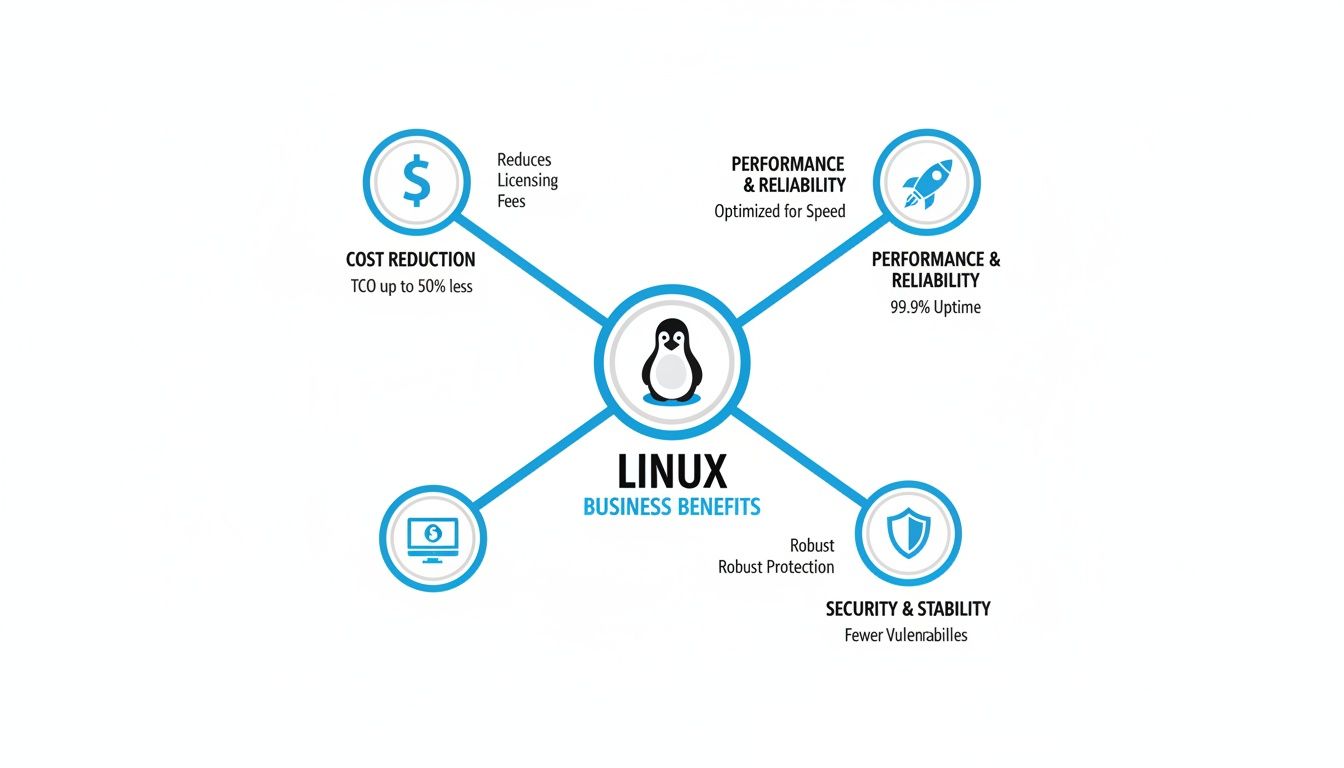
This really drives home the point that your hardware decisions are amplified by the raw efficiency of the Linux operating system, creating a seriously powerful combination.
Choosing Storage and Redundancy
For any modern dedicated server, Gen 4 or Gen 5 NVMe SSDs are the undisputed champions of storage. Period. Their blistering read/write speeds are essential for any workload sensitive to I/O latency, like e-commerce checkouts or real-time data analytics. They leave traditional spinning hard drives and even older SATA SSDs completely in the dust.
But speed is only half the story; protecting your data is just as critical. This is where a Redundant Array of Independent Disks (RAID) comes into play. RAID is a clever technology that combines multiple physical drives into one logical unit to provide a boost in speed, data redundancy, or a mix of both.
-
RAID 1 (Mirroring): This setup writes the exact same data to two separate drives. If one drive suddenly fails, the other takes over instantly with zero data loss. It’s a simple but incredibly effective way to protect critical data. For example, if you run a critical database on a server with two drives in RAID 1, and one drive physically breaks, the server continues to run from the second drive without interruption.
-
RAID 10 (Stripe of Mirrors): This configuration gives you the best of both worlds. It combines the mirroring of RAID 1 with the speed of striping (RAID 0), delivering exceptional read/write performance and excellent fault tolerance. It's the standard choice for mission-critical databases and high-performance applications where both speed and reliability are paramount.
Getting a handle on these hardware components empowers you to build a server that doesn't just work, but truly excels at its job. For a deeper look into how these choices impact your budget, you can explore our guide on dedicated server prices, which breaks down the financial side of building your ideal stack.
Fitting the Server to the Job
The real magic of a Linux dedicated server isn't just the impressive spec sheet—it's what that raw power lets you accomplish. You have to connect the dots between the hardware you choose and what your business actually does day-to-day. Think of it like a specialized tool; you wouldn't use a sledgehammer for a finishing nail, and the same logic applies here.
Let's walk through a few common scenarios where a dedicated server really comes into its own. Once you see how specific hardware solves specific problems, you can start designing a server that doesn't just run your application, but helps it thrive.
Software as a Service Platforms
When you're running a Software as a Service (SaaS) platform, your customers are buying consistency. They need your application to be fast and reliable, every single time they log in. On a dedicated server, that resource isolation you get isn't just a nice-to-have; it's the entire point.
Picture this: one of your biggest clients kicks off a massive data import, sending CPU and disk activity through the roof. In a shared environment, that one power user could slow things down for everyone else. On your own dedicated box, that spike is completely contained. One customer's heavy workload has zero effect on another's experience, which means performance stays rock-solid for your whole user base.
This is where a CPU with a high core count is a game-changer. It lets you slice up the workload, assigning different processes or even customer containers to their own cores, keeping everything running smoothly for everyone.
High-Traffic E-commerce and Web Hosting
An e-commerce site lives and dies by its ability to handle a rush. A Black Friday sale or a viral marketing campaign can flood your site with visitors, and every millisecond of lag could be a lost sale. This kind of workload needs instant responsiveness and massive I/O capacity.
Here’s how a dedicated server rises to the challenge:
-
Beefy Processors: A CPU with high clock speeds makes sure that database lookups for product info and inventory checks happen in a flash, even when thousands of people are browsing at once.
-
Dedicated NVMe Storage: When customers hit "buy," the server is hammered with tons of small, simultaneous read/write requests. Lightning-fast Gen 4/5 NVMe storage isn't optional here—it's what prevents the checkout process from becoming a bottleneck.
-
Loads of RAM: Caching your most popular product pages and user session info in RAM takes a huge load off the database and makes pages load almost instantly.
A well-built Linux dedicated server can be the difference between a record-breaking sales event and a frustrating, site-crashing disaster. It gives you the raw horsepower to turn traffic spikes into revenue, not abandoned carts.
Game Server Hosting
Online gaming is one of the toughest jobs you can throw at a server. It's a constant balancing act between raw processing power, low-latency networking, and unwavering performance. Even a tiny stutter or a moment of lag can ruin the experience for every player connected.
A Linux dedicated server is the go-to for game hosting for this very reason. A CPU with a blazing high single-core clock speed is absolutely essential, since many game server engines are single-threaded and depend on pure speed to process game logic in real-time. Having your own dedicated network card guarantees that player commands are sent and received with the lowest possible latency, which is the secret to smooth, responsive gameplay.
Large-Scale Databases and Analytics
For any data-driven business, the speed of analysis is a serious competitive edge. Big databases, whether they're processing transactions or running complex analytical queries, are absolute resource hogs. They need direct, all-you-can-eat access to massive amounts of RAM and the fastest storage money can buy.
On a Linux dedicated server, a database can load enormous datasets—we're talking 256GB or more—straight into RAM. This allows queries that would take hours on lesser hardware to finish in minutes. Pair that with a RAID 10 array of NVMe drives, and you get insane read/write speeds plus the redundancy to protect your data. This kind of setup turns your data from a dusty archive into a powerful, real-time asset.
Implementing Modern Server Security and DDoS Mitigation
Securing your Linux dedicated server is about more than just a strong root password. It’s a game of layers, where you systematically harden the operating system against intrusion while building a powerful, proactive defense against the network-level attacks that can knock you offline in seconds. Without both, even the most impressive hardware is just a sitting duck.
The first move is always fundamental server hardening. Think of it as reducing your server's "attack surface"—the total number of doors and windows an attacker could try to break through. By locking down every service you don't absolutely need and enforcing tight access rules, you build a much tougher target right from the start.
This turns security from a panicked afterthought into a core piece of your server's architecture, making it exponentially harder to compromise.
Establishing a Strong Security Baseline
A secure foundation starts with a few non-negotiable best practices. The good news is that these are simple to implement and give you a massive security boost right away.
Your first line of defense is a well-configured firewall. Tools like Uncomplicated Firewall (UFW) on Ubuntu live up to their name, making it easy to ditch the risky "allow everything" default for a much safer "deny all, allow specific" policy.
Practical Example: Basic UFW Configuration
Let’s say you only need to allow web traffic (HTTP/S) and SSH for remote management. The commands to implement this policy would be:
-
sudo ufw default deny incoming- Sets the default policy to deny all incoming traffic. -
sudo ufw allow sshorsudo ufw allow 22- Specifically punches a hole for port 22 (SSH). -
sudo ufw allow httpandsudo ufw allow https- Does the same for ports 80 and 443. -
sudo ufw enable- Switches the firewall on.
Just like that, you've slammed the door on automated scans and connection attempts hitting thousands of other ports.
Beyond the firewall, you need to live by the principle of least privilege. This is a simple but powerful idea: user accounts and services should only have the bare minimum permissions they need to function. Never run your applications as the root user. Instead, create separate, limited accounts for each one. This compartmentalizes your risk, so if one service is ever compromised, the attacker is stuck in a box, unable to take over the whole machine.
A hardened server is your fortress wall, but it won't stop the most common threat to your uptime: Distributed Denial of Service (DDoS) attacks. These are brute-force floods designed to overwhelm your server, not sneak past its defenses.
Defending Against Modern DDoS Attacks
Imagine a thousand people trying to rush through a single doorway all at once. That's a DDoS attack. It’s not about picking the lock; it's about creating a human traffic jam so massive that no one legitimate can get through. Modern attacks are incredibly sophisticated, often hitting you with multiple attack types at once to hammer your network, server resources, and applications simultaneously.
Even a medium-sized DDoS attack can completely saturate your server's network connection, pushing it offline no matter how perfectly you've hardened the OS. A lone Linux dedicated server simply can't absorb a flood of malicious traffic measured in hundreds of gigabits per second.
This is where specialized, always-on DDoS mitigation becomes essential.
How Always-On Mitigation Works
Instead of trying to fight a tidal wave at your server's front door, an "always-on" mitigation service acts like a global shield. All traffic heading to your server is first intelligently routed through a massive, distributed network of what we call "scrubbing centers."
This global network has a mind-boggling capacity—often measured in terabits per second (Tbit/s)—that dwarfs anything a single attacker could ever hope to generate. Inside these centers, specialized hardware and software get to work inspecting every single packet in real-time.
-
Traffic Analysis: The system constantly analyzes traffic, looking for the tell-tale signatures of an attack, like malformed packets or a sudden flood from thousands of different IP addresses.
-
Malicious Traffic Scrubbing: The moment an attack is detected—often in less than a second—all the malicious traffic is dropped right at the network edge. It's "scrubbed" clean.
-
Clean Traffic Forwarding: Only the legitimate, clean traffic is allowed to pass through and continue its journey to your server.
This entire filtering process happens far away from your infrastructure, so your server never feels the heat of the attack. Your legitimate users won't notice a thing, while the attacker's assault is completely neutralized. It's the only practical way to guarantee uptime, which is why it's so important to look for dedicated servers with DDoS protection built-in from day one.
Still Have Questions About Linux Dedicated Servers?
Even after a deep dive, a few specific questions always seem to pop up. Let's tackle them head-on to clear up any lingering doubts and make sure you have all the information you need.
Which Linux Distribution Is Best for My Server?
Honestly, the "best" Linux distribution is the one that fits your project and your team's skills like a glove. There's no magic bullet, but a few contenders are popular for very good reasons.
-
Ubuntu Server: Think of this as the versatile all-rounder. It has a massive, helpful community and a straightforward package management system, making it perfect for web hosting, general applications, and development environments where you want things to just work.
-
Rocky Linux or AlmaLinux: These are the workhorses of the enterprise world. As direct, binary-compatible descendants of Red Hat Enterprise Linux (RHEL), they are built for extreme stability and long-term support. If your server is running a business-critical application, this is your safety net.
-
Debian: If your number one priority is rock-solid, unwavering stability, Debian is legendary. Its release cycle is slower, but that's because every single package is tested exhaustively. It's the foundation you choose when you want to set up a server and not touch it again for years.
The real trick is to balance your need for the newest features with the demand for stability, all while playing to your team's strengths.
Is a Bare Metal Server the Same as a Dedicated Server?
Yes, for all practical purposes, the terms are used interchangeably. Both refer to a physical server that is entirely yours.
However, the term "bare metal" adds a crucial layer of meaning. It specifically emphasizes that you're getting the raw, physical hardware with nothing pre-installed—no hypervisor, no virtualization layer, just metal.
It's like getting a brand-new PC without an operating system. This gives you direct, unfiltered access to every bit of the hardware's power, letting you install your Linux OS right on the machine or build your own custom virtualization stack from scratch.
A "dedicated server" is the rental model—leasing a whole machine. "Bare metal" describes its pristine state—pure hardware, ready for you to shape as you see fit.
Why Is Out-of-Band Management So Important?
Out-of-Band (OOB) management is your server's ultimate get-out-of-jail-free card. It's a completely separate, hardware-based connection—using tech like IPMI—that works independently of your server’s operating system and main network.
Picture this: a bad firewall rule has locked you out completely, or the entire OS has frozen solid. Without OOB, you’d be filing a support ticket and waiting for a technician to physically access your machine.
With OOB access, it's a problem you can fix yourself in minutes, from anywhere. You can log into a separate interface and:
-
Force a hard reboot or power cycle the server.
-
Get into the BIOS/UEFI to tweak boot settings.
-
Mount a remote OS image and reinstall the entire system from the ground up.
This isn't just a convenience; it's a critical tool for minimizing downtime. It puts the power back in your hands, letting you resolve catastrophic issues without waiting for help.
Do I Need to Be a Linux Expert to Manage a Dedicated Server?
For an unmanaged Linux dedicated server, yes, you absolutely need a comfortable level of technical know-how. "Unmanaged" is just what it sounds like—you are responsible for everything on the software side of the equation. That means installing software, running security updates, monitoring the system, and fixing anything that breaks.
You should be comfortable on the command line and understand the fundamentals of server administration. It’s a powerful setup, but it’s not for beginners.
If that sounds daunting, don't worry. You can either opt for a managed hosting plan where the provider handles all the technical heavy lifting, or you can take the money you save with an unmanaged server and hire a freelance sysadmin to help out. Either way, having the right skills on hand is non-negotiable for success.
At Soraxus, we provide enterprise-grade bare metal servers built for the jobs that can't fail. With the latest-generation hardware, full root access, out-of-band management, and always-on DDoS mitigation, you get the raw power and complete control needed to scale without limits. Explore our high-performance dedicated server solutions.