Your Guide to Dallas Colocation for Mission-Critical Infrastructure

Soraxus Assistant
January 9, 2026 • 25 min read
When you choose a Dallas colocation solution, you’re not just renting rack space; you’re plugging your critical infrastructure into one of North America's most important data center hubs. Its central U.S. location, surprisingly affordable power, and deep network connectivity create a potent mix for any business that can't afford downtime or lag.
This strategic environment is a powerhouse for everything from high-traffic e-commerce sites to latency-sensitive financial trading and gaming platforms. For instance, a video streaming service hosted in Dallas can deliver high-definition content to users in both New York and Los Angeles with consistently low buffering times, directly improving the viewer experience.
Why Dallas Is a Top-Tier Colocation Hub

Dallas didn't become a digital infrastructure nerve center by accident. It's the result of a unique convergence of strategic advantages that few other cities can claim. Its geographic sweet spot in the central United States creates a natural latency equilibrium, letting businesses serve customers on both the East and West coasts with impressive speed.
This ideal positioning is underpinned by a massive and constantly growing fiber optic network. Every major national and international carrier has a significant point of presence here, which fuels a fiercely competitive and richly interconnected market. For you, this means more provider choices, better network routes, and ultimately, lower bandwidth costs.
Favorable Economics and Resilient Infrastructure
Beyond its network prowess, Dallas makes a strong case on the balance sheet. The region’s deregulated energy market, managed by the ERCOT grid, leads to some of the most competitive electricity rates in the nation. This is a huge factor in reducing the total cost of ownership, especially for power-hungry servers running AI workloads or other high-density compute tasks.
Dallas is the second-largest colocation market in the U.S. for a reason, boasting over 650 megawatts of provisioned power capacity. The city's appeal is magnified by electricity costs of just 9.72 cents per kWh—a staggering 23% below the U.S. business average. This directly slashes the operational expenses for your most important workloads.
Choosing Dallas isn't just about finding a place to rack your servers. It's about tapping into an ecosystem purpose-built for high performance, scalability, and operational efficiency. The city provides a foundation for growth that is difficult to find elsewhere.
To better understand why these factors matter, here's a quick breakdown of the strategic advantages Dallas offers.
Dallas Colocation Strategic Advantages at a Glance
| Advantage | What It Means for You | Real-World Business Impact |
|---|---|---|
| Central U.S. Location | Balanced, low-latency connections to both East and West Coasts. | A gaming company can host its servers here, ensuring fair play and minimal lag for players across the entire country. |
| Robust Connectivity | A competitive marketplace with all major carriers present, offering abundant network choice. | An e-commerce business can blend two different carriers to ensure their website stays online even if one provider has an outage. |
| Low Power Costs | Significantly reduced electricity rates thanks to a deregulated energy market. | A machine learning startup can train complex models on GPU-heavy servers without seeing their operational budget explode. |
| Business-Friendly Climate | A pro-business environment that attracts tech investment and talent. | A fast-growing software company can more easily recruit skilled network engineers and system administrators to manage their infrastructure. |
This combination of benefits creates a powerful incentive for businesses to plant their infrastructure flag in Dallas.
A Hub for Growth and Innovation
The blend of low latency, cheap power, and a welcoming business climate has turned Dallas into a magnet for tech companies. From ambitious SaaS startups to established global enterprises, businesses are setting up shop here to build, innovate, and scale.
This environment has cultivated a rich ecosystem of talent and services, simplifying the process of finding skilled engineers and expert support for your deployments. Whether you’re establishing a primary data center or a disaster recovery site, the benefits are compelling. Exploring your specific options for colocation in Dallas Texas is the next step to see how these strategic advantages can directly support your operational goals.
Vetting a Facility for Unbeatable Uptime
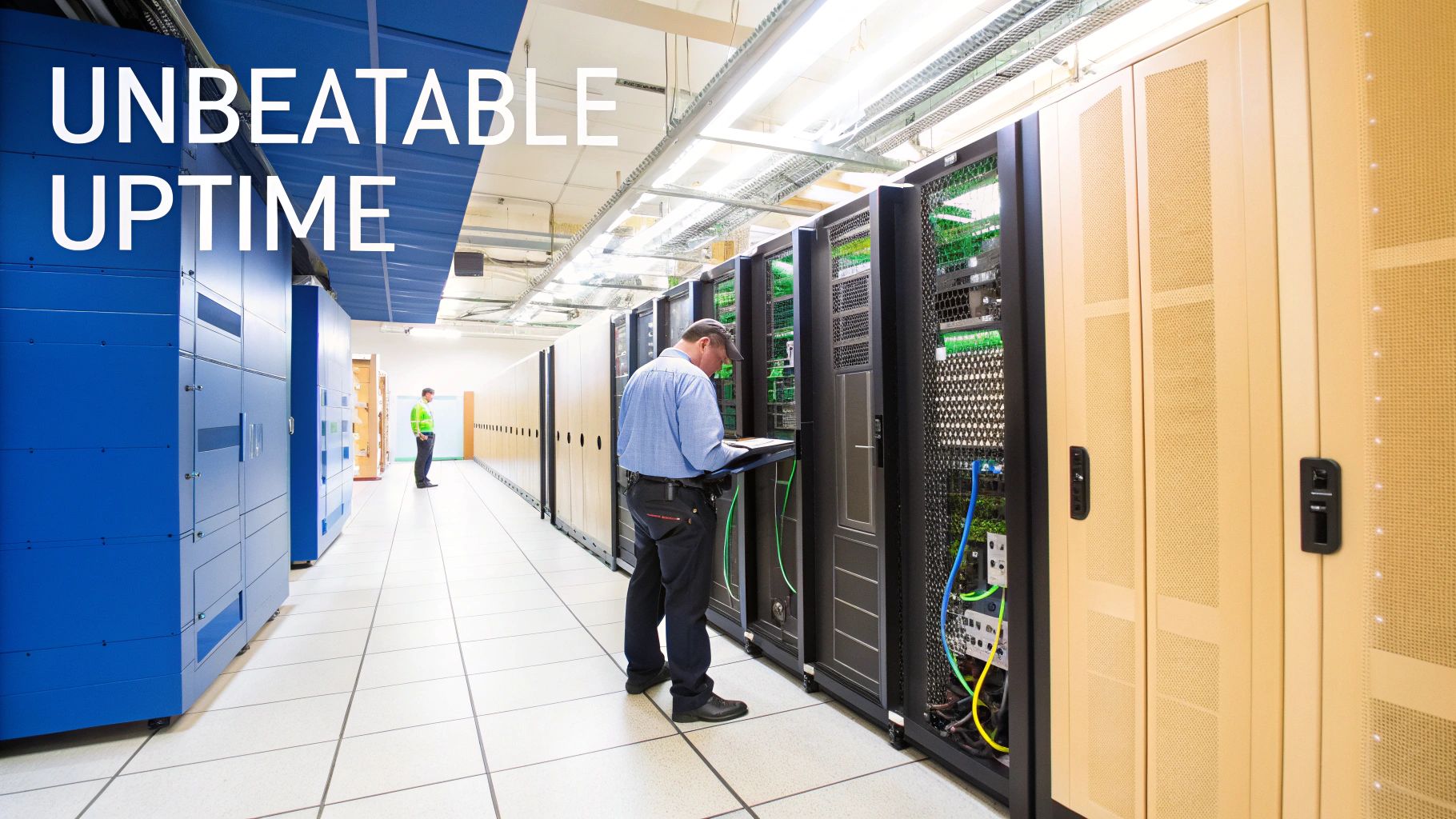
When you choose a Dallas colocation provider, you’re handing over the digital heart of your business. The bedrock of this decision rests on the facility's core infrastructure—its power, cooling, and physical security. These aren’t just line items on a feature list; they're the critical systems that decide if you stay online during a city-wide blackout or a blistering Texas heatwave.
For any application that truly matters, uptime is everything. That means you have to dig deep into how a data center guarantees resilience, and it all starts with power. A single power feed from the utility grid is just a single point of failure waiting to happen. Serious, enterprise-grade facilities are built from the ground up to eliminate that risk.
Demystifying Power Redundancy
The jargon around power redundancy can be a little dense, but the concepts are actually pretty simple. Terms like N+1 and 2N are just shorthand for how a data center protects your gear from a power loss. Getting a handle on them is the key to making the right choice.
-
N+1 Redundancy: This setup means the facility has enough capacity to run everything (N) plus one extra, independent backup component (+1). If a primary power supply or UPS fails, the backup unit kicks in automatically. It's good, but it still leaves a few potential weak spots in the power chain.
-
2N 'A+B' Redundancy: Now, this is the gold standard for high availability. It’s a completely independent, mirror-image power system—an 'A' side and a 'B' side. Each side has its own UPS, generators, and distribution paths. Your servers with dual power supplies plug into both the 'A' and 'B' feeds. If one entire system goes down, the other keeps powering your equipment with zero interruption.
Think about what happens in a real-world scenario, like a major grid failure. In a 2N facility, the 'A' and 'B' side UPS systems would take over instantly. Seconds later, multiple diesel generators would fire up, ready to carry the full load for days or even weeks if needed. Your servers would never even flicker.
When you're talking to a provider, ask them specifically about their power topology. Don't let them get away with a vague "we have generator backup." You need to know if they offer a true 2N 'A+B' configuration to make sure your dual-PSU hardware is actually protected the way you think it is.
The Critical Role of Enterprise Cooling
Today’s servers, packed with high-core-count CPUs and screaming-fast NVMe drives, throw off an incredible amount of heat. A single server can easily put out more heat than a small space heater; a full cabinet can feel like a furnace. Without precise, powerful, and redundant cooling, that heat leads to thermal throttling, component failure, and eventually, an outage.
Look for facilities that use robust cooling systems, often with a cold aisle/hot aisle containment design. This approach is incredibly effective because it stops hot exhaust air from mixing with the cool intake air your servers need. The data center must also maintain consistent temperature and humidity levels, all backed by the same redundant power that runs your servers. After all, what good is a generator if the cooling system goes down?
Beyond Cameras and Keycards
Physical security is the final piece of the uptime puzzle. Sure, cameras and security guards are standard issue, but a top-tier facility goes much, much further to protect your hardware investment. Real security is built in layers, creating a series of physical barriers that an unauthorized person would have to defeat.
Here’s what you should be looking for:
- Multi-Factor Access Control: This means needing something you have (an access card) combined with something you are (a biometric scan, like a fingerprint or iris).
- Secure Mantrap Doors: These are controlled entry points that only allow one person through at a time, making it impossible for someone to tailgate their way in behind an authorized person.
- 24/7 Onsite Engineering Staff: This is non-negotiable. Having a skilled technician on-site means they can respond to an alert, reboot a server, or fix a physical issue in minutes, not hours.
- Secure Loading Docks: Your gear should be received in a controlled, monitored area to prevent any chance of tampering or theft before it even makes it to the data hall.
Choosing a Dallas colocation partner really comes down to finding a team that is as obsessed with uptime as you are. By thoroughly vetting their power, cooling, and security, you're building a resilient foundation that lets you sleep at night.
Diving Into Network Performance and Security
Let’s be honest, the physical security of your server is just one piece of the puzzle. The real magic—or nightmare—happens with its connection to the outside world. When you’re vetting Dallas colocation providers, the network architecture and security layers are every bit as important as the power and cooling systems. After all, the quality of that network directly impacts your application's speed, your customers' experience, and your ability to fend off attackers.
A great data center network isn't just about having a massive pipe for bandwidth. It's about smart, resilient design that can predict problems and automatically route traffic around failures. It’s also about freedom—the freedom to choose the best carriers for your specific needs, not get stuck with a single, overpriced option.
Why Carrier Neutrality is a Game-Changer
If there's one term you need to understand, it's carrier neutrality. A carrier-neutral facility doesn't lock you into their house network. Instead, think of it as a marketplace where dozens of network providers, from huge Tier 1 carriers to niche regional players, are all available under one roof.
This freedom of choice is huge for two simple reasons: cost and performance.
- Real Cost Savings: When carriers have to compete for your business, you win. You can shop around, get bids, and put together a connectivity blend that fits your traffic and your budget.
- Fine-Tuned Performance: Not all networks are built the same. If you're a gaming company with a big user base in Latin America, one carrier might have the absolute best routes. If you're a fintech firm needing a lightning-fast connection to New York, another will be better. Carrier neutrality lets you mix and match to get the perfect setup.
Imagine you're running a SaaS platform. You could use a cheap, high-volume provider for general web traffic while paying for a premium, low-latency connection just for your critical API endpoints. That kind of granular control is only possible in a truly carrier-neutral environment.
Staying Online When Attacks Are Inevitable
These days, robust security isn't just a nice-to-have; it's a basic cost of doing business. Distributed Denial of Service (DDoS) attacks have become frighteningly common, and they can knock anyone offline, no matter how prepared they think they are. A simple firewall just doesn't cut it anymore.
Modern DDoS protection has to be always-on and work in layers. A good system inspects every single packet of traffic heading your way in real-time. It has to instantly spot and scrub malicious requests before they even get close to your server. This proactive stance is essential—even a few seconds of downtime can kill customer trust and vaporize revenue.
Think about an e-commerce store in the middle of a Black Friday sale. A sophisticated Layer 7 attack starts, aimed at the checkout process with traffic that looks totally legitimate. An always-on mitigation system sees this weird behavior in milliseconds, filters out the bad requests, and not a single real customer is blocked from making a purchase.
That real-time filtering is what separates a minor hiccup from a full-blown catastrophe. To handle the sheer size of modern attacks, you need a provider with massive global mitigation capacity, ideally measured in terabits per second (Tbit/s). This ensures they can soak up even the biggest floods without your services even blinking. To get a better handle on this, you can dig into these essential network security best practices that will help you build a stronger defense.
Creating Your Network and Security Checklist
When you're evaluating providers, get into the weeds with their network and security. Don't be afraid to ask tough, specific questions.
Key Questions for Your Potential Provider:
- Network Blend: Which Tier 1 carriers are on-net in your facility? Can I see a full list of available networks?
- DDoS Mitigation: Is your DDoS protection truly always-on, or does it require manual activation? What's your total mitigation capacity in Tbit/s?
- Attack Filtering: Do you protect against both network-layer (L3/4) and application-layer (L7) attacks? How?
- Analytics: During an attack, what kind of real-time traffic analysis and reporting can I access?
The U.S. colocation market is exploding, projected to hit $38.8 billion in 2025 and an eye-watering $65.45 billion by 2030, driven by an 11% compound annual growth rate. This growth, especially for power-hungry AI workloads in hubs like Dallas, is forcing security to the forefront. Providers are now expected to deliver robust Layer 3-7 protection. Capabilities like Soraxus's 1.5 Tbit/s mitigation capacity and real-time analytics are quickly becoming the new standard. You can read more about this data center surge nationwide on propmodo.com.
In the end, choosing the right provider means finding a true partner—one with a network built for speed and a security posture designed for survival.
Making the Move: Your Guide to a Seamless Migration and Deployment
Moving your critical infrastructure into a new data center doesn't have to be a nightmare. In fact, with the right plan, migrating to a Dallas colocation facility can be a surprisingly smooth and predictable process. The trick is to approach it like any other major project: with clear phases, solid communication, and a laser focus on minimizing risk.
The real work starts long before your servers ever get racked. A successful deployment is built on a foundation of smart hardware sourcing, careful logistical planning, and tight coordination with your colocation provider.
Pre-Deployment: Hardware and Logistics
First things first: you need to get your gear ready for its new home. If you're deploying brand-new servers, the easiest route is often to have your vendor ship them directly to the data center. Most facilities have a secure receiving area, and this one simple step can save you a world of logistical headaches and reduce the chance of shipping damage.
If you're moving existing hardware, documentation is your best friend. Create a detailed inventory of every server, switch, and power distribution unit (PDU). You'll want to note serial numbers, their exact position in the rack (down to the U), and every single power and network connection. This "rack elevation" diagram is the blueprint the remote hands team will use to build your environment precisely as you designed it.
Pro Tip: Before you ship anything, take detailed photos of the front and back of your fully racked equipment. This visual guide is incredibly valuable for the on-site technicians and can quickly clear up any confusion about cabling or component placement.
Mastering Remote Management from Day One
Once your equipment is in the rack, your most powerful tool is out-of-band (OOB) management. Whether it’s called IPMI, iDRAC (Dell), or iLO (HPE), this technology gives you direct, hardware-level access to your servers over a completely separate, secure network. It's the lifeline that lets you manage your gear as if you were standing right in front of it.
OOB access isn't just a convenience; it's a game-changer for managing remote infrastructure. From anywhere in the world, you can:
- Power Control: Force-reboot a frozen server that has completely fallen off the primary network.
- OS Installation: Mount an OS installation ISO and build a server from bare metal.
- BIOS Configuration: Get into the BIOS to tweak settings without needing a crash cart.
- Health Monitoring: Check on hardware vitals like internal temperatures, fan speeds, and power supply status.
Imagine you need to deploy a new Kubernetes cluster. Instead of painstakingly configuring each server beforehand, you can have the remote hands team simply rack the bare-metal machines. Your engineering team can then use OOB access to remotely install the OS, configure networking, and bootstrap the entire cluster—all without ever setting foot in the data center.
A crucial part of any deployment is ensuring your new environment is protected from the moment it goes live. This is where always-on DDoS protection comes in, filtering out malicious traffic before it can ever disrupt your services.
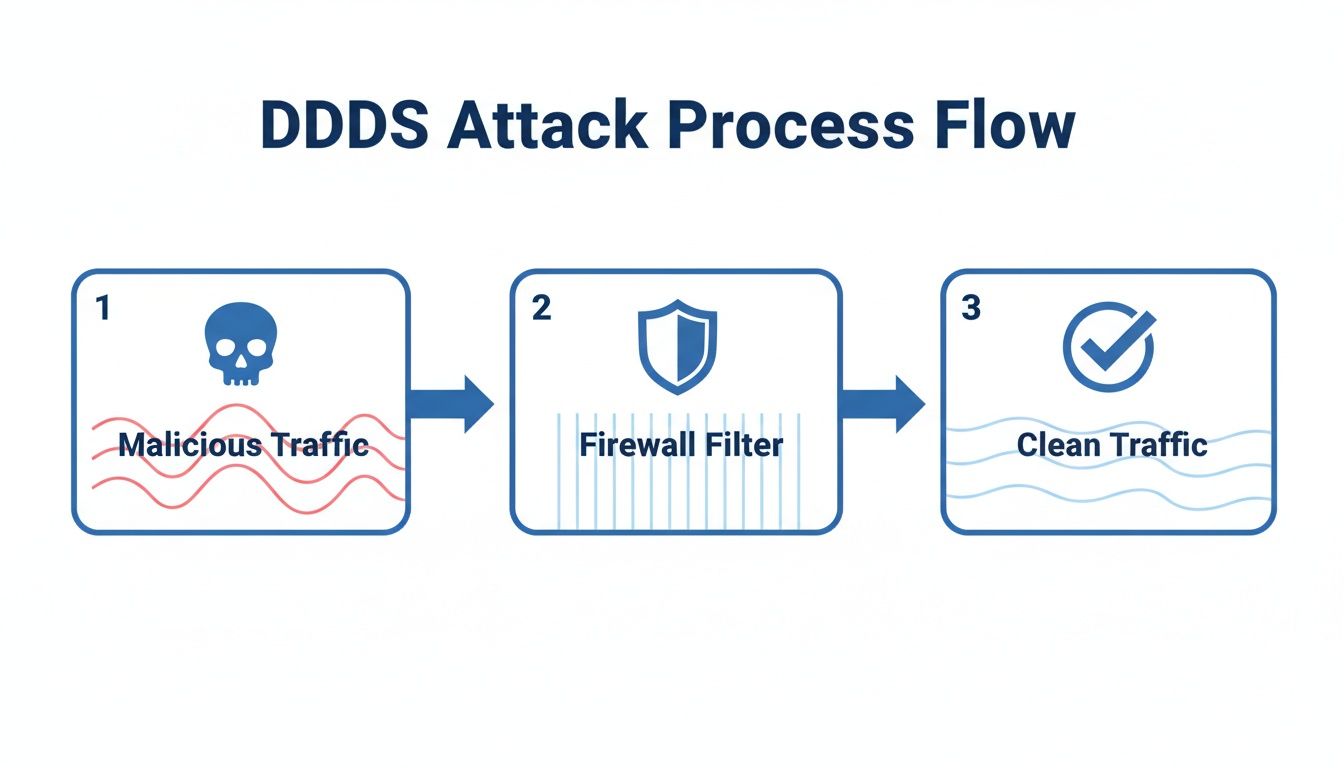
This proactive security layer is essential for maintaining uptime and availability for your newly deployed infrastructure.
The Rack-and-Stack Process
With your plan locked in, it's time for the physical installation. This is where your colocation provider's remote hands team acts as an extension of your own. You provide them with your detailed rack elevation and cabling diagrams, and they handle the physical work of mounting and connecting everything.
Clarity is everything here. Your instructions need to be meticulous. Specify that port eth0 on server db-01 connects to port 23 on switch sw-agg-01, and that its left power supply goes to the 'A' PDU and the right to the 'B' PDU. A good provider will follow your blueprint exactly and send you confirmation photos once the job is done.
Think about migrating a live database. Your plan wouldn't be to just "move it." Instead, it would be a careful, multi-step procedure:
- Initial Sync: The remote hands team racks the new database server. You use OOB to install the OS and set up a secure link to your old environment.
- Replication: You configure the new server as a read replica of the production database, allowing it to fully sync all the data.
- Final Cutover: During a planned maintenance window, you halt traffic to the old database, run a final data sync, and promote the new server to become the primary.
This methodical approach, made possible by powerful remote management tools and an expert remote hands team, turns a high-stakes migration into a controlled, low-risk operation.
Your Colocation Migration Checklist
A successful data center migration hinges on careful planning and execution across several key phases. This checklist breaks down the critical tasks to ensure nothing gets missed, from initial planning to the final go-live.
| Phase | Key Task | Pro Tips and Considerations |
|---|---|---|
| 1. Planning & Design | Create detailed rack elevations and cabling diagrams. Finalize IP addressing and network architecture. | Double-check power draw calculations for each rack. Involve your networking team early to map out VLANs, firewalls, and routing. |
| 2. Logistics | Coordinate hardware shipping with vendors or freight carriers. Schedule a receiving window with the data center. | If shipping existing gear, use server-grade packing materials. Confirm the data center's receiving policies and whether they require advance notice. |
| 3. Staging | Provide detailed rack-and-stack instructions to the remote hands team. | Number every cable and label every device. Provide high-resolution photos of your ideal setup. This is where meticulous documentation pays off. |
| 4. Configuration | Access servers via OOB/IPMI to install operating systems and core software. Configure network interfaces and storage. | Build one "golden image" server and then automate the deployment for the rest. Test OOB access on every single device before proceeding. |
| 5. Testing | Perform network connectivity tests, run application-level health checks, and execute performance benchmarks. | Don't just ping—test application-specific ports and database connections. Simulate a failover by pulling a power cable to ensure redundancy works as designed. |
| 6. Go-Live | Update DNS records to point to the new environment. Monitor systems closely for any anomalies during the cutover. | Use a DNS provider with a low TTL (Time To Live) for faster propagation. Have a clear rollback plan ready, just in case. Announce the maintenance window to all stakeholders. |
| 7. Post-Migration | Decommission old hardware. Update internal documentation (CMDB, monitoring tools) with the new information. | Securely wipe all data from decommissioned drives. Perform a final audit to ensure all documentation reflects the new production environment. |
By following a structured checklist like this, you can systematically address every detail. This transforms what could be a chaotic process into a well-orchestrated deployment, setting you up for long-term success in your new Dallas colocation home.
Looking Beyond the Rack: SLAs, Compliance, and Onsite Support
Let's be honest, choosing a Dallas colocation partner is about more than just square footage and power circuits. It’s a partnership. The real difference-maker isn't just the hardware; it's the promises they keep and the people on the ground who have your back when things go wrong.
This is where the less-glamorous but absolutely critical elements come into play: Service Level Agreements (SLAs), compliance audits, and expert onsite support. These are what separate a mere facility from a true operational extension of your team.
What to Look for in an SLA and Compliance Docs
A provider’s SLA is their commitment on paper. While you'll see 100% uptime guarantees plastered everywhere, the devil is always in the details. A solid SLA won’t just make a vague promise; it will clearly define remedies for downtime—like service credits—and specify what actually counts as an "outage." Look for separate guarantees covering power, cooling, and network availability. Each is a potential point of failure.
These promises need to be backed by proof, which is where compliance certifications come in. Think of them as a third-party audit of a provider’s security posture and operational discipline. If you handle any kind of sensitive data, these are table stakes.
-
SOC 2 (Service Organization Control 2): This is a big one, especially for SaaS, finance, or healthcare companies. A SOC 2 report proves a provider has established and follows strict controls for data security, availability, privacy, and more.
-
ISO 27001: This international standard shows a provider has a formal Information Security Management System (ISMS). It’s not a one-time check; it’s proof of an ongoing commitment to managing security risks systematically.
Don't just take a sales rep's word for it. Ask to see their latest attestation reports. This is your chance to verify that their practices meet your own compliance standards. To get a feel for what a strong contract looks like, you can review a detailed colocation Service Level Agreement to see the kind of language and commitments you should expect.
A robust SLA and verified compliance aren’t just checkboxes. They are your contractual safety net, an assurance that the provider has actually invested in the people, processes, and systems needed to protect your most critical assets.
Why Expert Onsite Support is a Game-Changer
Sooner or later, hardware fails. A drive will click its last, a power supply will give up the ghost, or a network cable will get unplugged. When that happens at 3 AM on a holiday weekend, the quality of your provider’s "remote hands" team suddenly becomes the single most important part of your entire colocation plan.
This is where you see the true value of a premium provider. Good remote hands aren’t just about having someone on-site to reboot a server. It’s about having skilled technicians who can think on their feet and act as a capable extension of your own engineering team.
Imagine this real-world scenario: Your primary database server vanishes from the network. You can't SSH in, and even your out-of-band access is dead. Instead of waking up an engineer and sending them on a frantic drive to the data center, you simply open a ticket: "Server DB-01 is down hard. Please investigate."
A seasoned technician on the data center floor can then:
- Wheel a "crash cart" over and plug a physical console into your server.
- Watch the boot process and spot the cryptic error messages pointing to a failed RAID controller.
- Grab the cold spare controller you wisely stored in your cabinet and swap it out.
- Reboot the server and ping you to confirm it’s back online.
This entire sequence could be over in less than an hour, turning a potential multi-hour outage and expensive emergency dispatch into a minor hiccup. That kind of support is priceless.
The Dallas data center market is set to double by 2026, creating a fierce battle for talent. Texas data centers already support over 485,000 jobs, and that number is climbing fast. You can find more on the Dallas data center job boom from Concero. Partnering with a provider that has already won that talent war and has expert staff on-site 24/7 gives you a massive strategic advantage.
Got Questions About Dallas Colocation? We've Got Answers.
When you're looking at moving your hardware into a Dallas colocation facility, a lot of questions come up. It's a big decision, and getting the details right is what separates a smooth deployment from a series of headaches. Here are some of the most common questions we hear from people just like you.
Think of this as a quick-start guide to the essentials—cost, remote access, security, and growth.
What’s the Real Cost of Dallas Colocation?
When you get a quote, it’s not just one number. The pricing is almost always broken down into three main parts, and knowing what they are helps you compare apples to apples.
- Space: This is what you pay for the physical spot your gear occupies. It’s usually billed by the rack unit (a 'U') if you just have a server or two, or by the full cabinet for bigger setups.
- Power: This covers the juice your equipment pulls from the grid. You’ll typically see this billed per amp on a circuit (like a 30A circuit) or, less commonly, by the kilowatt-hour (kWh) you actually use. The good news is that Dallas has a competitive energy market, so power costs here are often more reasonable than in other big tech hubs.
- Bandwidth: This is your internet connection. It’s priced by speed, usually in megabits or gigabits per second (Mbps/Gbps). The price tag here can shift depending on whether you're using the data center's blended network mix or paying for a direct line to a specific carrier.
Beyond those monthly recurring costs, always ask about the one-time fees. You might see charges for the initial setup, cross-connects to link up with other networks in the building, or for using the remote hands service. A good provider will be upfront about all of it.
How Am I Supposed to Manage My Servers Remotely?
This is probably the most critical piece of the puzzle. Once your servers are racked, you can’t just walk over and reboot them. That's where remote management tools come in, giving you total control from anywhere in the world.
Your main tool is out-of-band (OOB) access. Think of it as a backdoor into your server's hardware. Using interfaces like IPMI, iDRAC, or iLO, you get a direct connection that completely bypasses the operating system. If your server freezes up, you can still power cycle it, mount an OS installer from your laptop, or tweak BIOS settings. It’s a lifesaver.
For anything that requires a physical touch—like swapping a dead drive or plugging in a new cable—you’ll lean on the facility's remote hands service. An on-site technician becomes your eyes and hands, following your exact instructions.
What Kind of DDoS Protection Do I Actually Need?
If your application makes you money or is critical to your business, the answer is simple: you need always-on DDoS protection. This isn't a firewall you turn on after an attack starts; it’s a proactive system that inspects all your traffic, all the time. It spots and filters out malicious traffic within seconds, long before your customers notice a thing.
A solid solution has to defend against both the big, noisy network floods (Layer 3/4) and the sneakier, more sophisticated application-layer attacks (Layer 7).
Here's a pro tip: Ask about the provider’s global mitigation capacity. You want to see a network with over 1 Tbit/s of capacity. That number tells you they can absorb even the most massive attacks without breaking a sweat.
Can I Start Small and Scale Up Later?
Absolutely. In fact, this is one of the biggest advantages of Dallas colocation. A good data center is built to help businesses grow. You can start with just a single server (1U or 2U of space) and add more gear as your needs—and your revenue—expand.
This "pay-as-you-grow" approach means you get access to enterprise-grade power, cooling, and security from day one, without the massive upfront cost. When you outgrow your initial space, you can simply add more servers or move into a full cabinet.
Just make sure to ask your potential provider what that growth path looks like. You want a partner who can keep up with your success for years to come.
Ready to build your mission-critical infrastructure on a foundation of performance and resilience? Soraxus provides enterprise-grade colocation in Dallas, complete with A+B power, carrier-neutral connectivity, and always-on DDoS protection. Explore our colocation solutions and secure your hardware today.