A Complete Guide to Dedicated Server DDoS Protection

Soraxus Assistant
January 20, 2026 • 25 min read
Dedicated server DDoS protection is a highly specialized security service built to shield your server from the overwhelming traffic floods that can knock it offline. Think of it as a smart, powerful bouncer for your digital front door. It stands between your server and the wider internet, meticulously checking every visitor to ensure only legitimate users get through, while the massive, malicious crowds of a DDoS attack are blocked cold.
Without this defense, your server is a sitting duck, vulnerable to attacks that can cause expensive and reputation-damaging downtime.
Why DDoS Protection Is Non-Negotiable for Your Server
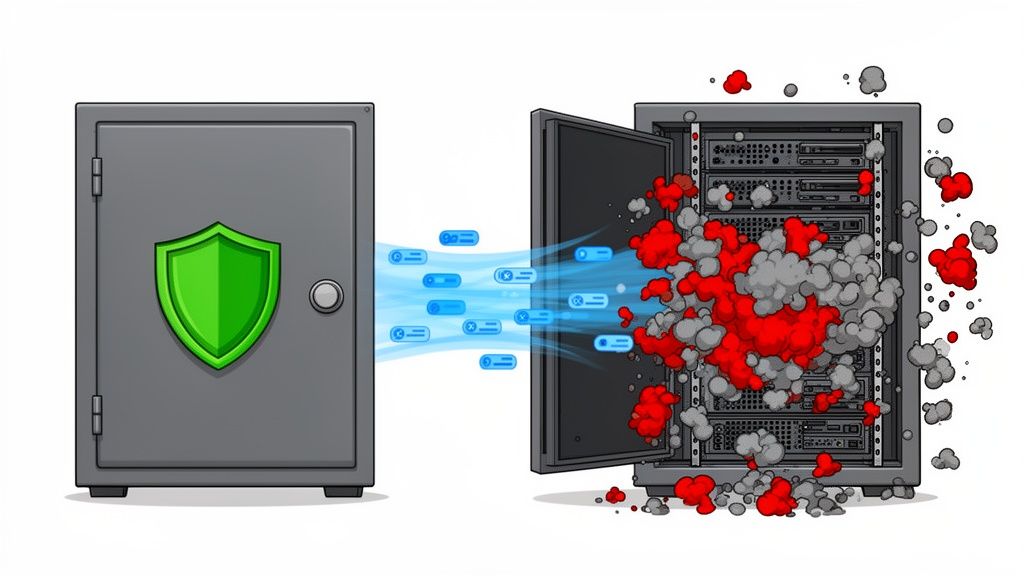
Picture your dedicated server as a bank vault. Inside, you store your most valuable assets: your business-critical applications, your customer data, your entire online presence. Running that server without dedicated DDoS protection is the digital equivalent of leaving the vault door wide open with a sign that says, "Help yourself."
It’s a common misconception that a standard firewall is enough. A firewall is like the lock on the vault door—it’s great at stopping a single intruder from picking their way in. But a modern DDoS attack isn't a lone burglar; it's a battering ram, a relentless flood of automated traffic designed to overwhelm the entire entrance. The attack doesn't bother with the lock; it just makes it impossible for anyone, including your actual customers, to get through.
The Real Cost of an Unprotected Server
The fallout from an unprotected server is more than just a temporary glitch. Every single minute your service is down translates into very real, and often painful, consequences.
-
Financial Losses: If you run an e-commerce store, a SaaS platform, or a gaming server, downtime directly equals lost revenue. For example, if your online shop processes $1,000 per hour, a two-hour outage costs you $2,000 in direct sales, not to mention future losses from customers who leave for good.
-
Reputational Damage: Unreliable services destroy trust. A single, high-profile outage can be enough to send your customers searching for a more stable alternative—and they might not come back.
-
Operational Disruption: Instead of focusing on growth and innovation, your team is thrown into crisis mode, scrambling to fix a security emergency. Productivity grinds to a halt.
Your dedicated server is the engine that powers your online business. Leaving it exposed to DDoS attacks is a gamble that can cripple your operations, leading to severe financial and reputational damage that’s incredibly difficult to bounce back from.
To help you get started, here's a quick breakdown of the core concepts we'll be covering. Think of this as your cheat sheet for understanding how modern DDoS protection works.
Core DDoS Protection Concepts at a Glance
| Concept | Simple Analogy | Why It Matters for Your Server |
|---|---|---|
| Volumetric Attack | A massive traffic jam on the highway leading to your business, blocking all legitimate customers. | Overwhelms your server's network connection, making it impossible to reach. |
| Protocol Attack | Flooding a receptionist with complex, nonsensical paperwork to tie up their resources. | Exploits weaknesses in network protocols (like TCP) to exhaust server or firewall resources. |
| Application Layer Attack | Sending thousands of bots to a restaurant to order water, one at a time, keeping the staff busy. | Targets specific applications (like your website login) to consume CPU and memory, causing a crash. |
| Scrubbing Center | A central security checkpoint where all incoming mail is screened for threats before being delivered. | A specialized data center that filters out malicious traffic before it ever reaches your server. |
| Anycast Network | A global franchise with many locations; customers are always sent to the closest and fastest one. | Distributes attack traffic across a massive global network, diluting its impact and absorbing the flood. |
This table provides a high-level view, but the real value is in understanding how these pieces fit together to form a proactive defense.
A Proactive Defense for Mission-Critical Assets
This is where dedicated DDoS protection truly shines. It’s not just a reactive measure; it's a sophisticated, always-on security system that inspects traffic far away from your server's front door. It identifies and neutralizes malicious data streams long before they can do any damage, guaranteeing seamless service availability for your real users.
The market urgency is clear: the global DDoS protection industry is projected to grow substantially over the coming years as attacks become more frequent and powerful. This isn't just a trend; it's a fundamental shift in how businesses protect their online infrastructure. Investing in a robust defense is no longer optional—it's a foundational requirement for any serious operation.
To truly secure your infrastructure, consider a provider with comprehensive always-on DDoS mitigation that shields your server from all types of threats. This guide will walk you through everything you need to know, from understanding the different attack vectors to building an effective protection strategy.
Understanding the Modern DDoS Threat Landscape
To really get a handle on protecting your dedicated server, you first have to know what you’re up against. A DDoS attack isn't just one thing; it's a whole toolbox of dirty tricks that attackers use to knock you offline. These attacks don't all work the same way—they target different parts of your server's connection to the internet.
Think of it in terms of layers, like the floors of a building. The most common attacks hit the network and application layers, and each has its own nasty way of causing chaos. Knowing the difference is absolutely critical for choosing the right kind of dedicated server DDoS protection.
Layer 3 and 4 Network Attacks
At their core, Layer 3 (Network) and Layer 4 (Transport) attacks are all about brute force. The goal is dead simple: blast your server's internet connection with so much garbage traffic that nothing legitimate can get through. They're what we call volumetric attacks, meaning they win by being bigger and louder than everyone else.
A classic example is a SYN flood. Imagine your server’s mailroom getting slammed with millions of fake delivery notices all at once. For each notice, the mail clerk has to set aside a spot on the shelf and wait for a package that’s never going to show up. Pretty soon, every shelf is full, and real packages start getting turned away. That's a SYN flood in a nutshell—it ties up all your server's connections, leaving no room for actual users.
Other common network-layer attacks include:
-
UDP Floods: This is like sending a tidal wave of User Datagram Protocol (UDP) packets to random ports on your server. Your server is forced to check every single port for a listening application and then send back a "nobody's home" message, burning through its resources in the process. This is particularly effective against gaming and streaming servers that rely on UDP.
-
Amplification Attacks: This is a clever and nasty one. Attackers find poorly configured servers out on the internet (like old DNS or NTP servers) and trick them. They send a tiny request to these servers but spoof your server’s address as the return address. The third-party server then sends a massive response back to you. It's like mailing a postcard that makes someone else mail an encyclopedia to your target.
These attacks are measured in Gigabits per second (Gbps) or even Terabits per second (Tbps) and are built to simply overwhelm your network's capacity.
Layer 7 Application Attacks
If network attacks are a sledgehammer, Layer 7 (Application) attacks are a scalpel. They’re much sneakier and often get the job done with far less traffic, which makes them incredibly hard to spot. Instead of clogging the internet pipe, their goal is to silently drain your server's brainpower—its CPU and RAM.
An HTTP flood is the perfect example. Picture a coordinated mob of bots visiting your e-commerce site. Instead of browsing, each bot repeatedly adds a complex, heavy-to-process item to its cart or runs an advanced search query. These actions force your server's database and application code to work overtime. With enough bots, the server's CPU hits 100%, and the site grinds to a halt for everyone.
Layer 7 attacks are so dangerous because they look just like legitimate user traffic. The malicious requests can be almost identical to real ones, making it nearly impossible for a standard firewall to tell the difference between a friend and a foe.
These attacks go straight for the applications running on your server—your website, your API, your game's logic. This makes dedicated servers for SaaS, e-commerce, and gaming prime targets because their applications are full of resource-heavy features like database lookups and user logins that can be easily exploited to bring a server to its knees.
And these threats are growing at a frightening pace. As noted in recent industry analysis, the scale and sophistication of DDoS attacks continue to climb. The largest volumetric attacks have surpassed the terabit-per-second mark, while application-layer assaults have reached hundreds of millions of requests per second. This kind of escalation means that if you're running a game server, an online community, or any low-latency service, enterprise-grade protection isn't a luxury; it's a necessity. You can dig into more data on these escalating DDoS trends to see what it all means for your infrastructure.
How a Modern DDoS Defense Is Architected
Knowing the enemy is one thing, but building the fortress to stop them is another game entirely. A truly effective dedicated server DDoS protection strategy isn't a single piece of software you install; it's a sophisticated, multi-layered architecture. And right at the core of that architecture is a fundamental choice: always-on or on-demand protection?
This decision is critical. It determines how and when your defenses kick in, and making the wrong call can leave your server wide open when it matters most, especially for applications where every millisecond of latency counts.
Always-On vs. On-Demand Mitigation
An always-on architecture is like having a full-time security detail stationed at your front door, 24/7. Every single packet of traffic headed your way is first routed through a specialized protection network. There's no waiting. Malicious traffic gets filtered out instantly, often before you'd even know an attack was happening.
On the other hand, on-demand mitigation is more like an alarm system that calls for help after a break-in. This setup waits to detect an active attack and only then diverts traffic to a cleaning facility. While it can work, it introduces a dangerous gap—a window of vulnerability between detection and mitigation where your server can easily get knocked offline. For example, it might take 60 seconds for the system to detect the attack and reroute traffic, which is 60 seconds of complete downtime for your users.
For mission-critical dedicated servers hosting gaming, financial, or SaaS platforms, the always-on model is the only real choice. The sub-second time-to-mitigate means service availability is never at risk, turning a potential catastrophe into a complete non-event for your users.
So, what makes this level of defense possible? Two key technologies really form the backbone of any high-performance mitigation network: scrubbing centers and Anycast routing. Let's dig into what those actually are.
Scrubbing Centers: The Traffic Hospitals
Think of a scrubbing center as a high-tech hospital for internet traffic. When a DDoS attack floods your server, all that data—good and bad—is sent to one of these specialized facilities.
Inside, a combination of powerful hardware and smart software performs deep packet inspection. It’s like a triage process in an emergency room. The system analyzes traffic patterns, spots the malicious requests, and "scrubs" them out, ensuring only clean, legitimate user traffic gets through to your dedicated server. A global network of these centers is what it takes to fend off massive, geographically distributed attacks.
Anycast Routing: The Global GPS
Now, how does your traffic get to the nearest scrubbing center without adding a ton of latency? That’s where Anycast routing works its magic. Imagine it as a global GPS for your data. Instead of your server’s IP address living in one physical location, Anycast announces it from multiple data centers all over the world at the same time.
When someone tries to connect, their traffic is automatically sent to the closest network node. This clever routing delivers two huge wins:
-
Lower Latency: Your real users connect to the closest point of presence, which often gives them a faster, more direct path to your server than the public internet ever could.
-
Attack Dilution: When a DDoS attack hits, the flood of malicious traffic isn't aimed at a single target. It gets spread out and absorbed across the entire global network, diluting its power and making it far easier to filter out. For instance, a 1 Tbps attack is split across 20 global locations, with each needing to handle only 50 Gbps.
This one-two punch of a globally distributed network and intelligent routing is the secret sauce for providing powerful, low-latency protection. For any business that can't afford even a few seconds of downtime, understanding how a well-designed defense works is crucial. You can see how these principles scale up by exploring what's involved in enterprise-grade DDoS protection for core infrastructure.
Picking the Right DDoS Protection for Your Server
Choosing the right DDoS mitigation isn't a one-size-fits-all deal. What an e-commerce giant needs to stay online is worlds apart from what a gaming community requires for a smooth experience. To make the right call, you need to zero in on three critical performance metrics: mitigation capacity, time-to-mitigate, and the false positive rate.
Think of these as the vital stats of your server's security shield. If any one of them is weak, your entire defense can crumble when an attack hits, leaving you exposed to downtime and chaos.
Mitigation Capacity: How Strong Is Your Shield?
Mitigation capacity is the raw, brute-force strength of your defense, measured in Terabits per second (Tbit/s). It answers a simple question: how big of an attack can the provider's network soak up and filter before it gives out? Imagine trying to stop a tidal wave with a picket fence; if the attack is bigger than your capacity, your server is going down. It's that simple.
In an age where attacks regularly blast past hundreds of Gigabits per second (Gbps), having a multi-terabit network isn't a luxury—it's the bare minimum. A practical benchmark to look for is a network with at least 1.5+ Tbit/s of total capacity, ensuring it can handle large-scale volumetric floods without issue.
Time-to-Mitigate: How Fast Are Your Reflexes?
Time-to-mitigate is all about speed—how quickly your protection system can spot an attack and jump into action. Think of it as the reflex speed of your digital bodyguard. Anything less than instant leaves a window of vulnerability where your server is a sitting duck, just waiting to get knocked offline.
For anything sensitive to latency—like competitive gaming, real-time financial trading, or live streaming—every millisecond is critical. An always-on solution with a time-to-mitigate of less than one second is the only way to guarantee an attack has absolutely zero impact on your users.
On-demand solutions, which only kick in after an attack is already underway, are a problem. They create a delay by design. That gap, even if it’s just a minute, is more than enough time for an attacker to cause serious disruption and hurt your bottom line.
False Positive Rate: How Accurate Is Your Filter?
The false positive rate tells you how good the system is at telling friend from foe—malicious attackers from legitimate customers. A high false positive rate is a nightmare. It means your protection is accidentally blocking real users, effectively turning your security into a self-inflicted outage.
This is especially true for Layer 7 protection, where the system has to analyze complex application requests. For example, a poorly configured filter might block a legitimate customer from a specific country because an attack originated from the same region. A truly effective solution uses smarter techniques like protocol validation and behavioral analysis to surgically remove threats without touching legitimate traffic. Your goal should always be a false positive rate that's as close to zero as possible.
Matching Protection to Your Specific Needs
Different applications have completely different priorities. A high-performance gaming server and a corporate database simply don't have the same needs, and your DDoS protection has to reflect that. This is where truly understanding how bare metal servers can be configured for specific workloads becomes a game-changer.
The right features for your use case are what separate an effective defense from a costly, ineffective one. The table below can help you pinpoint what's most important based on who you are and what you're running.
Matching DDoS Protection Features to Your Needs
Use this table to identify the most critical DDoS protection features based on your specific application and priorities, ensuring you select the right level of defense.
| User Profile | Primary Concern | Must-Have Protection Features | Example Use Case |
|---|---|---|---|
| Game Server Host | Ultra-Low Latency | Always-on, sub-second mitigation, specialized UDP filtering, global Anycast network. | Hosting a real-time multiplayer game where even minor lag can ruin the player experience. |
| Enterprise/SaaS | Uptime and Compliance | High-capacity network (1.5+ Tbit/s), detailed reporting, low false positive rate, 24/7 expert support. | Running a mission-critical SaaS application where service availability is tied to revenue and SLAs. |
| Managed Service Provider | Scalability and Reliability | Multi-tenant capabilities, robust API for automation, predictable pricing, enterprise-grade protection for clients. | Managing infrastructure for multiple clients, each with their own security and performance needs. |
| DevOps Team | Control and Automation | Full API access for integration into CI/CD pipelines, real-time analytics, customizable filtering rules. | Deploying and managing scalable web applications that require automated security responses. |
By carefully weighing these metrics and aligning them with your server's workload, you can find a solution that doesn't just stop attacks but actively supports your business goals. It’s about being prepared, not just protected.
Creating Your DDoS Incident Response Plan
Knowing the theory behind DDoS protection is one thing. Having a battle-tested plan for when an attack actually hits is what separates a minor hiccup from a major catastrophe. An incident response plan, or a playbook, is your roadmap for turning a chaotic, high-stress event into a managed process. It gives your team clear, actionable steps to follow before, during, and after an attack.
Building this plan isn't just about technical configurations; it's about preparation, communication, and constant improvement. The real goal is to slash downtime, protect your hard-earned reputation, and turn every incident into a learning opportunity that makes you stronger. Without a playbook, you’re just improvising in the dark.
Pre-Attack Preparations and Testing
The best time to handle a DDoS attack is long before it starts. Proactive preparation is everything. This phase is all about setting up your defenses, knowing who does what, and running drills so everyone on your team knows exactly what to do when the alarms go off.
Here are the key steps to take before an attack:
-
Define Roles and Responsibilities: Figure out who is responsible for what during an incident—no ambiguity allowed. For example, assign a primary incident commander (e.g., the Lead Systems Engineer), technical leads for network and application analysis (e.g., a Network Admin and a Senior Developer), and a communications lead (e.g., the Marketing Manager).
-
Establish Alerting Thresholds: Work with your protection provider to fine-tune your automated alerts. These should trigger the second traffic patterns deviate from the norm, like a sudden spike in requests or a weird mix of protocols. That early warning is priceless.
-
Conduct Regular Drills: Don't wait for a live-fire exercise to test your plan. Run simulated DDoS attacks (with your provider's blessing and help, of course) to see how your procedures hold up. These drills are perfect for testing your team's reaction time and finding weak spots in your communication or technical workflows.
This infographic breaks down the core factors you should be evaluating as part of your pre-attack checklist.
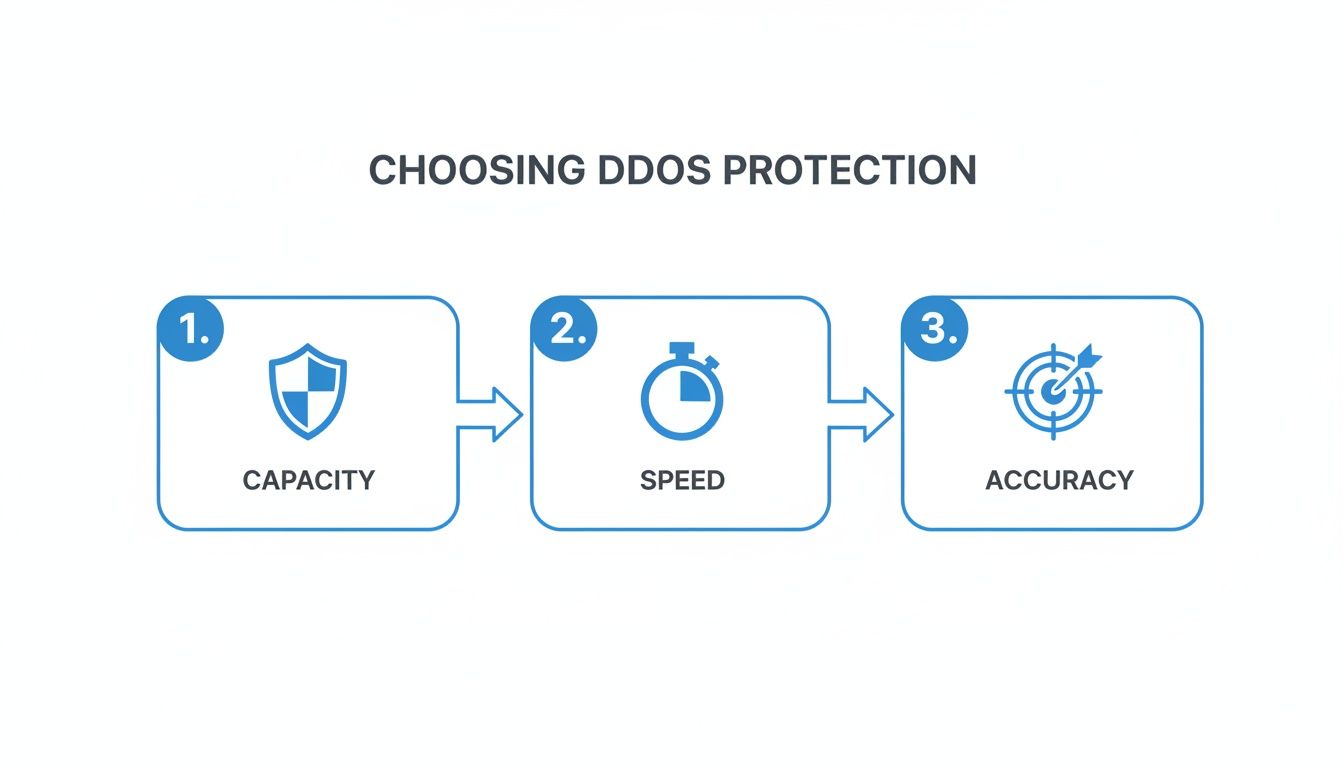
As you can see, a solid defense isn't about just one thing. It's a careful balance of raw network capacity, lightning-fast detection speed, and pinpoint mitigation accuracy.
Real-Time Detection and Communication
The moment an attack kicks off, your playbook needs to shift from preparation to action. Those first few minutes are absolutely critical. You have to confirm the threat, activate defenses (if you're on an on-demand plan), and get the word out to the right people. Panic is the enemy; a clear plan keeps everyone calm and coordinated.
During a live attack, these are your top priorities:
-
Initial Triage: As soon as an alert hits, your technical lead needs to confirm it's a real attack and not a false positive. This means a quick dive into the traffic data from your provider’s dashboard to get a handle on what’s happening.
-
Stakeholder Communication: Your communications lead has to immediately notify internal teams—think management and customer support—with a quick, clear summary of the situation. Having a pre-written template for this can save precious time.
-
Traffic Analysis: While the mitigation system is doing the heavy lifting, your team needs to keep an eye on the clean traffic coming through. This is how you spot if the attack is evolving into a multi-vector assault or if the attackers are trying new tricks to sneak past your filters.
A well-defined communication protocol is just as important as the technical mitigation. Keeping everyone from your CEO to your customer support agents in the loop prevents misinformation and ensures a unified, professional response.
Post-Attack Analysis and Hardening
Once the attack is over and traffic is back to normal, the job isn't done. This is your single best opportunity to learn from what just happened and strengthen your defenses for next time. A thorough post-attack analysis is what separates a purely reactive defense from a truly proactive security posture.
The final phase of your response plan should always include these steps:
-
Review Mitigation Reports: Get your hands dirty with the data from your DDoS protection service. Pinpoint the attack vectors used (was it a SYN flood or an HTTP GET flood?), where the traffic came from, and the total volume of malicious requests blocked.
-
Conduct a Post-Mortem: Get the incident response team in a room and talk honestly about what went well and what didn't. For example, did the on-call engineer respond within the target of 5 minutes? Was the customer support team given clear enough information?
-
Implement Improvements: Take what you learned from the analysis and put it into action. This could mean tightening up firewall rules, adjusting application-layer filters, or updating the response playbook itself based on the lessons learned from the trenches.
By making post-attack analysis a non-negotiable step, you create a powerful feedback loop. It continuously refines your dedicated server DDoS protection and makes your entire infrastructure more resilient with every incident.
How DDoS Protection Enables Business Growth
It's easy to look at dedicated server DDoS protection as just another line item on the expense report—a necessary evil. But that's a shortsighted view. Think of it less like an insurance policy and more like a strategic investment that paves the way for your company's future. It's the solid foundation you need to scale your infrastructure, guarantee uptime, and build real, lasting trust with your customers.
When you stop worrying about surviving the next attack, you can finally focus on what matters: growth. With your digital assets properly shielded, you're free to expand. You can confidently launch that new service, push into a new market, or handle the traffic spike from a killer marketing campaign, all without the nagging fear of being knocked offline at the worst possible moment.
From Defense to Competitive Advantage
Every online business is fighting for reliability. Solid DDoS protection flips the script, turning a defensive necessity into a serious competitive edge. While your competitors are scrambling during an attack, bleeding cash and damaging their reputation, your services just keep running.
That kind of rock-solid reliability becomes part of your brand. It sends a clear message to customers: we're professional, we're dependable, and you can count on us. For instance, a gaming community known for its zero-downtime servers during peak hours will naturally attract and retain more players than a community plagued by lag spikes and outages. In a crowded marketplace, being the service that's always on is a huge differentiator.
Investing in enterprise-grade DDoS protection is a direct investment in your brand's reputation. It ensures that your customer experience is defined by seamless availability, not by apologies for unexpected downtime, which is fundamental to protecting revenue in a competitive world.
Securing Your Infrastructure for the Future
As we've covered, the threat landscape never stands still. Attacks are getting bigger, smarter, and more complex every year. A robust defense strategy isn't a "nice-to-have" anymore; it's a core requirement for anyone running important services on dedicated hardware.
Throughout this guide, we've walked through everything from the basics of Layer 3 to Layer 7 attacks to the inner workings of modern defenses built on scrubbing centers and Anycast routing. You now know how to size up providers using key metrics like mitigation capacity and time-to-mitigate, and you have a framework for building a practical incident response plan.
The last step is to turn that knowledge into action.
-
Evaluate Your Current Posture: Be honest about your existing defenses. Do they really stack up against what we've discussed? Are you behind an always-on system with multi-terabit capacity?
-
Assess Your Provider: Does your current host or mitigation partner deliver the fast, enterprise-grade protection your most valuable digital assets demand?
-
Prioritize Uptime: Make sure everyone in your organization understands that uptime isn't just a technical metric. It's directly tied to revenue, customer loyalty, and the long-term health of your brand.
Taking these steps ensures your infrastructure isn't just safe today but is ready for whatever comes next. Find a partner that delivers the advanced, always-on mitigation you need to not only secure your operations but to confidently drive your business forward.
Frequently Asked Questions About DDoS Protection
Diving into DDoS protection for dedicated servers often brings up a few key questions. Let's break down some of the most common ones to help you get a clearer picture of how this all works and what you really need to keep your infrastructure safe.
Is My Server Firewall Enough for DDoS Protection?
That's a common misconception, but the short answer is no. A server firewall is great for basic security, but it's completely outmatched by a modern DDoS attack.
Think of it this way: a common volumetric attack might target your server with 100 Gbps of traffic. If your server's network port is only 10 Gbps, the connection is saturated long before the traffic even reaches the firewall. The firewall is helpless because the "pipe" leading to it is completely clogged. Specialized DDoS protection works much further upstream, filtering out all that malicious traffic across a massive global network before it ever reaches your server's connection.
A firewall is like a strong lock on your front door. Dedicated server DDoS protection is the security team controlling every road leading to your neighborhood, ensuring only legitimate visitors can even get close.
What Is the Difference Between On-Premise and Cloud-Based Mitigation?
This really comes down to where the filtering happens.
On-premise mitigation uses a physical appliance you install in your own data center. It's fast for handling threats that originate inside your network, but it has a fatal flaw: it's still behind your main internet connection. If an attack is big enough to saturate that connection, your expensive on-premise box can't do a thing.
Cloud-based mitigation, on the other hand, cleans your traffic before it ever gets to you. It routes everything through a global network of specialized data centers called "scrubbing centers." This approach is built to handle the massive, multi-terabit attacks that are common today. For dedicated servers, an "always-on" cloud model is the gold standard because it provides seamless protection without a single point of failure.
Will DDoS Protection Negatively Affect My Latency?
It's a valid concern, but with a high-quality service, it shouldn't. In fact, it can often improve your latency.
Top-tier providers use a clever technology called Anycast routing. This system automatically directs your users' traffic to their closest network node, or "Point of Presence," anywhere in the world. For example, a player in Sydney connecting to your game server in Los Angeles will be routed through a local Sydney node first, which then carries the traffic over the provider's optimized private network instead of the congested public internet.
This often creates a more direct, faster path to your server than the standard public internet routes. For your legitimate users, this means traffic flows smoothly and quickly, even in the middle of a massive attack. For latency-sensitive applications like gaming, VoIP, or financial trading, this isn't just a bonus—it's essential.
Ready to secure your dedicated server with enterprise-grade, always-on DDoS protection? Soraxus provides a 1.5+ Tbit/s global mitigation network designed to stop the most aggressive Layer 3-7 attacks instantly, ensuring your services stay online and perform at their best. Explore our solutions at https://soraxus.com.